
Blog
The Top WordPress AI Agents, Plugins & More | EP53
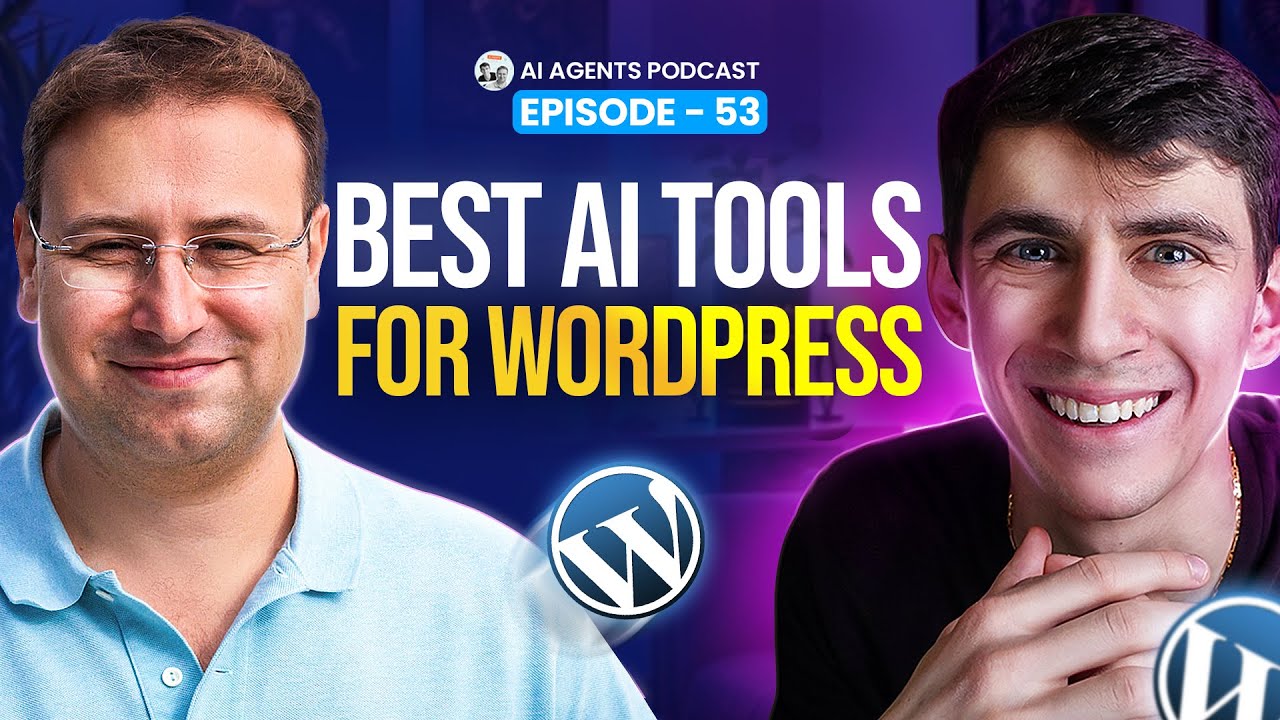
The Evolution of AI in WordPress: Tools, Strategies, and Future-Proofing
The WordPress ecosystem has undergone a seismic shift in recent years, thanks to the integration of artificial intelligence. From automating mundane tasks to crafting personalized user experiences, AI-driven solutions are revolutionizing how websites are built, managed, and optimized. Whether you’re a developer, blogger, or business owner, leveraging these tools can elevate your site’s performance, streamline workflows, and unlock new creative possibilities. Let’s dive into the cutting-edge AI tools reshaping WordPress today.
Why AI Matters for WordPress Users
AI isn’t just a buzzword—it’s a practical asset for anyone running a WordPress site. By automating repetitive tasks like content moderation, SEO adjustments, and data analysis, AI frees up time for strategic decision-making. It also enhances precision in areas such as keyword targeting, user behavior prediction, and design customization. For businesses, this means higher conversion rates, improved engagement, and a stronger competitive edge.
Top AI-Powered Plugins to Supercharge Your Site
Plugins are the backbone of WordPress functionality, and AI-driven options are leading the charge in innovation. Below are seven solutions that stand out for their impact and versatility.
1. All in One SEO (AIOSEO)
All in One SEO remains a staple for WordPress users, but its AI-powered features push it ahead of traditional SEO tools. The plugin analyzes your content in real-time, offering suggestions for keyword density, readability, and meta descriptions. Its machine learning algorithms adapt to search engine updates, ensuring your site stays optimized as ranking factors evolve.
Why It Shines:
inf"]– Automates technical SEO audits.
– Generates schema markup to boost visibility.
– Integrates with Google Analytics for data-driven insights.
2. Akismet Anti-Spam
Akismet has long been WordPress’s go-to solution for spam detection, but its AI capabilities now make it smarter than ever. The tool filters out malicious comments and form submissions by analyzing patterns in language, IP addresses, and user behavior. Over time, it learns to differentiate between harmless feedback and spam, reducing false positives.
Why It Shines:
– Saves hours of manual moderation.
– Protects against phishing and scams.
– Adapts to new spam techniques automatically.
3. WordLift
WordLift uses natural language processing (NLP) to transform static content into dynamic, data-enriched experiences. By automatically tagging images, linking related posts, and creating structured data, it helps search engines better understand your site’s context. This leads to improved rankings and enhanced voice search compatibility.
Why It Shines:
– Builds internal linking strategies without manual input.
– Generates FAQs and glossary widgets for SEO.
– Supports multilingual content optimization.
Advanced AI Agents for Content and SEO Mastery
While plugins handle technical tasks, dedicated AI agents take content creation and optimization to the next level. These tools are indispensable for scaling output without sacrificing quality.
1. Jasper (Formerly Jarvis)
Jasper is a powerhouse for generating blog posts, product descriptions, and social media captions. It uses OpenAI’s GPT models to produce human-like text tailored to your brand’s voice. Integrate it with WordPress via APIs to auto-publish drafts or brainstorm fresh content ideas.
Pro Tip: Use Jasper’s "Content Improver" to revitalize outdated posts with updated information and keywords.
2. Frase
Frase combines content research, writing, and optimization into a single platform. Its AI analyzes top-ranking pages for your target keywords and generates detailed outlines, ensuring your content addresses user intent. The tool also provides readability scores and recommends semantic keywords to include.
Key Advantage: Reduces content research time by 50% with automated SERP analysis.
3. Surfer SEO
Surfer SEO’s Content Editor uses machine learning to reverse-engineer high-performing content. Input a primary keyword, and it’ll suggest optimal word counts, header structures, and keyword placement. The result? Content that’s engineered to rank.
Bonus: Integrates with WordPress for seamless editing and optimization.
AI-Driven Design and User Experience Tools
First impressions matter, and AI is redefining how websites look and feel. These tools help create visually stunning, user-friendly designs without requiring coding expertise.
1. Bookmark AIDA
Bookmark’s Artificial Intelligence Design Assistant (AIDA) builds custom WordPress themes based on your industry, content, and preferences. Answer a few questions about your brand, and AIDA generates a responsive design complete with layouts, fonts, and color schemes.
Ideal For: Startups and small businesses needing a polished site quickly.
2. Elementor AI
Elementor’s AI integration allows users to generate text, images, and code snippets directly within the page builder. Describe the section you want (e.g., “a hero banner for a yoga studio”), and the tool will create a draft layout, suggest images from free libraries, and even write placeholder copy.
Standout Feature: Eliminates creative block by offering multiple design variations.
Custom AI Integration Solutions
For enterprises or niche projects, off-the-shelf tools might not suffice. Custom AI integrations allow you to tailor solutions to specific needs.
1. TensorFlow for WordPress
Developers can leverage TensorFlow, Google’s open-source machine learning framework, to build custom AI models. Use cases include predictive analytics (e.g., forecasting site traffic), image recognition for media libraries, and personalized recommendation engines.
Example: A fitness blog could use TensorFlow to recommend workout plans based on a user’s browsing history.
2. Dialogflow Chatbots
While not WordPress-specific, Dialogflow’s API can be integrated to create intelligent chatbots. Train them to handle FAQs, process payments, or book appointments—all while learning from user interactions to improve responses over time.
Best Practices for Implementing AI in Your Workflow
To maximize ROI, approach AI adoption strategically:
-
Start Small
Begin with one tool, like an SEO plugin or chatbot. Measure its impact on metrics like bounce rate or conversion before scaling. -
Prioritize Data Privacy
Ensure any AI tool complies with GDPR, CCPA, and other regulations, especially when handling user data. -
Combine AI With Human Insight
Use AI-generated drafts or designs as a foundation, then refine them to add a personal touch. - Stay Updated
AI evolves rapidly. Follow WordPress forums and industry blogs to keep your toolbox current.
Final Thoughts
The fusion of AI and WordPress is more than a trend—it’s a transformative movement. By embracing tools that automate, optimize, and innovate, you’ll not only save time but also craft a site that adapts to future challenges. From content generation to predictive analytics, the possibilities are limitless. The key is to experiment, iterate, and let AI handle the heavy lifting while you focus on what matters most: growing your digital presence.
Ready to future-proof your WordPress site? Start exploring these AI solutions today, and watch efficiency and creativity reach new heights.
