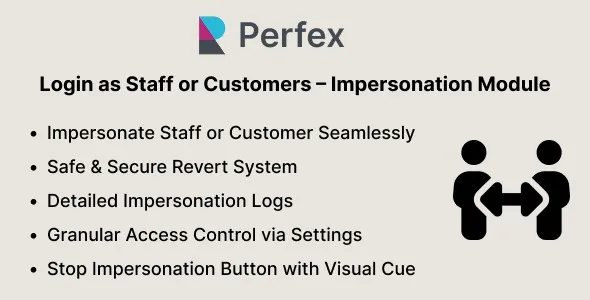
Login as Staff or Customers – Impersonation Module for Perfex CRM
In contemporary business environments, effective communication and operational clarity are vital. One tool that assists in achieving this is the Impersonation Module for Perfex CRM. This module allows administrators to log in as staff members or customers, offering a unique perspective on how interactions are conducted and aiding in troubleshooting issues.
Understanding the Impersonation Module
The Impersonation Module is designed with flexibility in mind. It allows administrators to view the Perfex CRM interface from the perspective of both staff and customers. This functionality is crucial for monitoring user experience and ensuring that all system users are receiving the best service possible.
By enabling login as either a staff member or a customer, administrators can gain insights into user behaviors, preferences, and potential pain points. This module essentially acts as a window into the organization’s operations, providing valuable feedback and guidance for improvements.
Benefits of the Impersonation Module
1. Enhanced User Experience Monitoring
With the Impersonation Module, administrators can dive deep into the customer journey. By logging in as a customer, they can navigate the user interface and experience exactly what customers see. This firsthand inspection can help identify usability issues or areas where customers may struggle, enabling the team to implement changes that enhance overall user satisfaction.
2. Effective Staff Training
Logging in as a staff member can help administrators understand the daily challenges faced by their team. By walking in their shoes, administrators can identify gaps in training or resources, ensuring that staff members are equipped with the tools they need to perform at their best.
3. Streamlined Issue Resolution
One of the most significant advantages of the Impersonation Module is its potential for resolving issues efficiently. When customers report problems, administrators can log in as the customer to replicate the issue firsthand. This feature is instrumental in diagnosing technical issues and providing quick resolutions, ultimately fostering greater trust and satisfaction among users.
4. Tailored Service Offerings
Understanding user behavior through the Impersonation Module allows businesses to tailor their services more effectively. By observing how customers interact with the CRM, businesses can identify trends and preferences, leading to more customized service offerings that better meet client needs.
How to Enable the Impersonation Module
Activating the Impersonation Module in Perfex CRM is a straightforward process that can be completed in just a few steps:
1. Access the Admin Settings
Navigate to the admin dashboard of Perfex CRM. This is typically located in the main menu.
2. Find the Impersonation Settings
Look for the Impersonation Module option within the settings. This section may be labeled differently depending on the version of the software you are using.
3. Activate the Module
Toggle on the Impersonation Module to enable it. You may also need to specify which user roles are permitted to use this feature.
4. Log In as Desired User
Once activated, administrators can log in as any staff member or customer by selecting the corresponding account from the list.
Tips for Using the Impersonation Module Effectively
To maximize the benefits of the Impersonation Module, consider these tips:
– Document Observations
When logging in as staff or customers, take notes on observations and experiences. This documentation can aid future improvements and provide insights during team meetings.
– Engage in Regular Check-ins
Make impersonating users a regular practice rather than a one-time action. Frequent check-ins can help keep the user experience fresh and aligned with expectations.
– Solicit Feedback
Encourage both staff and customers to provide feedback on their experiences. This input can be invaluable when assessing the effectiveness of changes made based on impersonation insights.
Conclusion
The Impersonation Module for Perfex CRM is an essential tool that bridges the gap between administrators, staff, and customers. By allowing admins to log in as staff or customers, it empowers organizations to enhance user experiences, streamline training, and resolve issues swiftly. Embracing this functionality can lead to significant improvements in service delivery and user satisfaction, ultimately ensuring that both customers and staff feel prioritized and valued. In the evolving landscape of customer relationship management, leveraging tools like the Impersonation Module is critical for success.
Browse more in PHP Scripts, including Ready eCommerce – Complete Multi Vendor eCommerce Mobile App, Customer Website with Store POS. Official source: PHP official site.





Reviews
Clear filtersThere are no reviews yet.