
Blog
How to Automate Your WordPress Blog with N8N & AI For FREE
Introduction
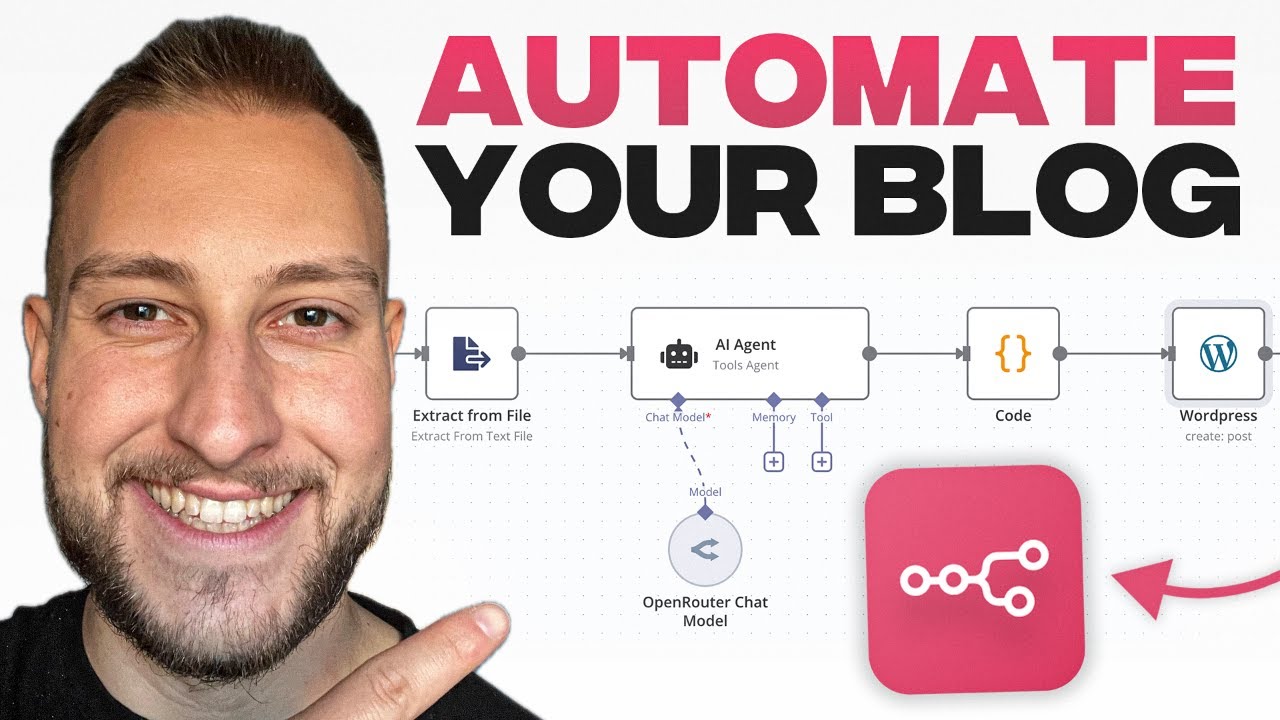
Automating your WordPress blog can significantly enhance your productivity and streamline your content management processes. With advancements in automation technology, tools like n8n and AI can transform the way you manage your blog, from publishing content to engaging with your audience. In this guide, we will explore how to integrate n8n with AI solutions to automate your WordPress blog at no cost.
What is n8n?
n8n is an open-source workflow automation tool that enables you to connect various apps and services effortlessly. It allows you to automate repetitive tasks, manage workflows, and integrate tools without needing extensive coding knowledge. The ability to create custom workflows makes n8n an excellent choice for automating processes on your WordPress site.
Why Automate Your WordPress Blog?
Automation is not just a trend; it’s a necessity for anyone looking to optimize their blogging experience. Here are a few compelling reasons to consider automation:
- Saves Time: By automating routine tasks, you can focus more on content creation and less on management.
- Consistency: Automation ensures that your posts, social media shares, and other processes occur consistently, enhancing your brand’s reliability.
- Improved Engagement: Automated responses and interactions can maintain audience engagement, even when you’re not online.
Getting Started with n8n
Step 1: Installation of n8n
First, you need to set up n8n. You can choose between a self-hosted or cloud-based installation. Here’s how to install n8n locally:
- Prerequisites: Ensure you have Node.js and npm installed on your machine.
-
Install n8n: Open your command line and run the following command:
npx n8n
- Access the Interface: Once installed, access n8n through your web browser at
http://localhost:5678.
Step 2: Create Your First Workflow
Once you have n8n up and running, the next step is to create your first workflow:
- Add a Trigger Node: Start with a trigger node that initiates the workflow. Common choices include a scheduled time or a webhook.
- Connect WordPress: Utilize the WordPress node in n8n to connect your blog. Provide API credentials to authenticate.
- Configure Actions: Add nodes for the actions you want to perform, such as publishing new posts or automatically sharing content on social media.
Integrating AI into Your Workflow
Incorporating AI can further enhance the capabilities of your automation. Here’s how to get started:
Step 3: Choosing an AI Integration
There are several AI platforms available, including OpenAI, Google Cloud AI, and others. For this guide, we’ll focus on integrating OpenAI’s GPT-3 for content generation.
Step 4: Setting Up the AI Node
- API Key: Sign up for an account with OpenAI and obtain your API key.
- Add OpenAI Node: In your n8n workflow, add an OpenAI node to generate content. You can use prompts to create blog posts based on specific topics.
- Configure Outputs: Specify how the AI-generated content should be formatted and sent to your WordPress node.
Automating Blog Content Publishing
One of the most powerful aspects of automating your blog is the ability to publish content without manual intervention.
Step 5: Scheduling Posts
You can set specific times for content to go live. Use the trigger node to specify when you want the content published. For example:
- Cron Trigger: Set up a cron job that publishes posts daily or weekly.
- Dynamic Scheduling: Use an n8n node to determine the optimal time for engagement based on audience analytics.
Step 6: Monitoring and Reporting
Keeping track of your automation effectiveness is crucial. You can set up additional nodes in n8n to:
- Send Notifications: Use email or messaging services to receive reports about published content.
- Monitor Performance: Integrate analytics tools to assess engagement rates on your posts.
Enhancing User Engagement
Automation doesn’t just stop at publishing. You can also improve user engagement through automated responses and interactions.
Step 7: Automate Responses to Comments
Integrating comment management can help you maintain engagement without being directly involved:
- Use Webhooks: Set a webhook to trigger every time a new comment is posted.
- Auto-respond: Based on the content of the comment, bots can generate responses, providing timely interaction.
Automate Social Media Sharing
Sharing your blog posts on social media can be tedious. Automating this process can save you a considerable amount of time.
Step 8: Connect to Social Media Platforms
- Add Social Media Nodes: Include nodes for Facebook, Twitter, or any other platforms where you want to share your posts.
- Configure Sharing Options: Set guidelines for what content gets shared, ensuring your audience receives relevant updates.
Final Considerations
While automating your blog with n8n and AI offers countless benefits, there are important considerations to keep in mind:
- Quality Control: Ensure that your AI-generated content meets the quality standards necessary for your blog. Edit as needed before publishing.
- Compliance: Follow copyright rules, especially when using AI content generation. Make sure to use ethical practices.
- Regular Maintenance: Periodically check and update your workflows to accommodate changes in your blog or automation needs.
Conclusion
Automating your WordPress blog using n8n and AI is a powerful way to enhance productivity and engagement. By integrating these technologies, you can focus on creating quality content while eliminating repetitive tasks. With the steps outlined in this guide, you can set up a seamless automation system that allows your blog to run smoothly, ensuring you stay ahead in the competitive blogging landscape. Implement these automation strategies today, and watch your blog thrive with ease.
