
Blog
How to Add an AI Chatbot 🤖 to WordPress in Minutes
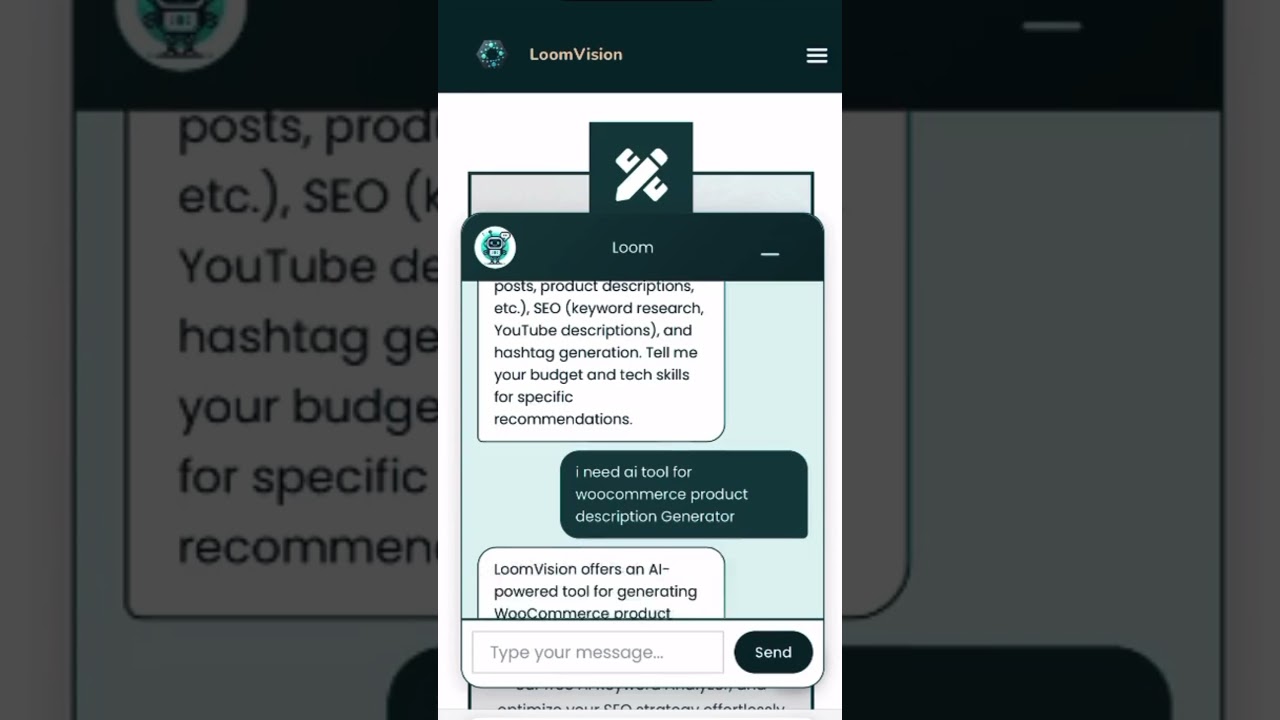
Why Integrate an AI Chatbot into Your WordPress Website?
In today’s fast-paced digital landscape, immediate customer engagement isn’t just a luxury—it’s an expectation. AI chatbots have emerged as transformative tools for businesses, offering instant responses to user inquiries, guiding visitors through websites, and even driving conversions. For WordPress users, integrating an AI chatbot is easier than ever, requiring minimal technical expertise and time. Whether you’re running an e-commerce store, a blog, or a service-based site, a chatbot can enhance user satisfaction, reduce operational costs, and streamline communication. Let’s explore how you can leverage this technology to elevate your WordPress site in mere minutes.
Key Benefits of an AI-Powered Chatbot
Before diving into the setup process, understanding the value an AI chatbot brings to your WordPress site is essential. Here’s why businesses are rapidly adopting this tool:
- 24/7 Customer Support: Unlike human agents, chatbots operate around the clock, addressing queries outside business hours and reducing response times.
- Lead Generation and Qualification: Chatbots can engage visitors, ask targeted questions, and collect contact information, helping you identify high-quality leads.
- Cost Efficiency: Automating routine tasks like answering FAQs frees up your team to focus on complex issues, optimizing resource allocation.
- Personalized User Experiences: Advanced chatbots use machine learning to analyze visitor behavior, delivering tailored recommendations or content.
By addressing these pain points, chatbots not only improve user satisfaction but also contribute to higher retention and sales.
Choosing the Right AI Chatbot for Your WordPress Site
Not all chatbot solutions are created equal. To find the best fit, consider these factors:
- Ease of Integration: Opt for plugins or tools specifically designed for WordPress to ensure seamless installation.
- Natural Language Processing (NLP): Look for platforms with strong NLP capabilities to accurately interpret user intent.
- Customization Options: The chatbot should align with your brand’s voice, including adjustable colors, logos, and response styles.
- Scalability: Ensure the chatbot can handle increasing traffic and adapt to evolving business needs.
Popular options include Dialogflow, Tidio, and WP-Chatbot, each offering unique features ranging from free tiers to enterprise-level plans. Evaluate their compatibility with your site’s goals before making a decision.
Step-by-Step Guide: Installing an AI Chatbot on WordPress
Follow these straightforward steps to deploy a chatbot on your site in minutes:
1. Select and Install a Chatbot Plugin
Navigate to your WordPress dashboard and visit the Plugins section. Search for your chosen AI chatbot tool (e.g., “Tidio Live Chat” or “WP-Chatbot”). Click Install and then Activate to enable the plugin.
2. Connect to an AI Platform
Many plugins require linking to an external AI service like Dialogflow or IBM Watson. Create an account on the platform, generate API keys, and enter them into your WordPress plugin settings. This bridges your site with the chatbot’s intelligence.
3. Customize the Chatbot’s Appearance
Use the plugin’s settings to modify the chatbot’s design. Adjust its position on the screen (bottom-right corner, floating icon, etc.), brand colors, and greeting messages. Ensure it complements your site’s aesthetic.
4. Train the Chatbot with Relevant Data
Feed the AI common questions, product details, or support guidelines to improve its accuracy. For instance, if you run an online store, train it to answer shipping queries or recommend products.
5. Enable Live Chat Handoff
Configure the chatbot to transfer complex issues to human agents. Set triggers like specific keywords or user requests (e.g., “Speak to a representative”) to ensure a smooth transition.
6. Test and Launch
Use preview modes to simulate user interactions. Test responses to diverse queries and refine the chatbot’s logic. Once satisfied, make it live on your site.
Optimizing Your Chatbot for Maximum Impact
Deploying a chatbot is just the beginning. To truly maximize its potential, implement these best practices:
- Regularly Update Knowledge Bases: As your business evolves, update the chatbot’s database with new FAQs, product launches, or policy changes.
- Analyze Interaction Logs: Review chat histories to identify common user pain points or unanswered questions. Use these insights to refine responses.
- Personalize Conversations: Segment audiences based on behavior (e.g., returning visitors vs. first-time users) and tailor chatbot scripts accordingly.
- Ensure Mobile Responsiveness: Verify that the chatbot functions flawlessly across devices, as a significant portion of web traffic comes from mobile users.
Measuring Success: Key Metrics to Track
To gauge your chatbot’s effectiveness, monitor these performance indicators:
- Engagement Rate: The percentage of visitors interacting with the chatbot.
- Resolution Time: How quickly the chatbot resolves queries without human intervention.
- Conversion Rates: Track if chatbot interactions lead to desired actions (e.g., purchases, sign-ups).
- User Feedback: Integrate post-chat surveys to collect direct input on the chatbot’s helpfulness.
Use tools like Google Analytics or the chatbot’s built-in analytics dashboard to track these metrics. Adjust strategies based on data to continuously improve performance.
Common Pitfalls to Avoid
While chatbots offer immense benefits, avoid these mistakes to ensure a smooth experience:
- Over-Automation: Not every interaction should be automated. Use the chatbot for repetitive tasks but provide easy access to human support.
- Ignoring User Privacy: Clearly disclose data collection practices and comply with regulations like GDPR.
- Complex Scripts: Overly technical language or lengthy responses can frustrate users. Keep interactions concise and conversational.
Final Thoughts
Integrating an AI chatbot into your WordPress site is a strategic move that enhances user engagement, streamlines operations, and drives growth. With intuitive plugins and scalable solutions, the setup process is accessible even for non-technical users. By following the steps outlined above—selecting the right tool, customizing its functionality, and continuously optimizing performance—you can unlock the full potential of AI-driven communication. Start today, and transform how your audience interacts with your brand, one conversation at a time.
