
Blog
From Python to JavaScript: A Playbook for Data Analytics in n8n with Code Node Examples
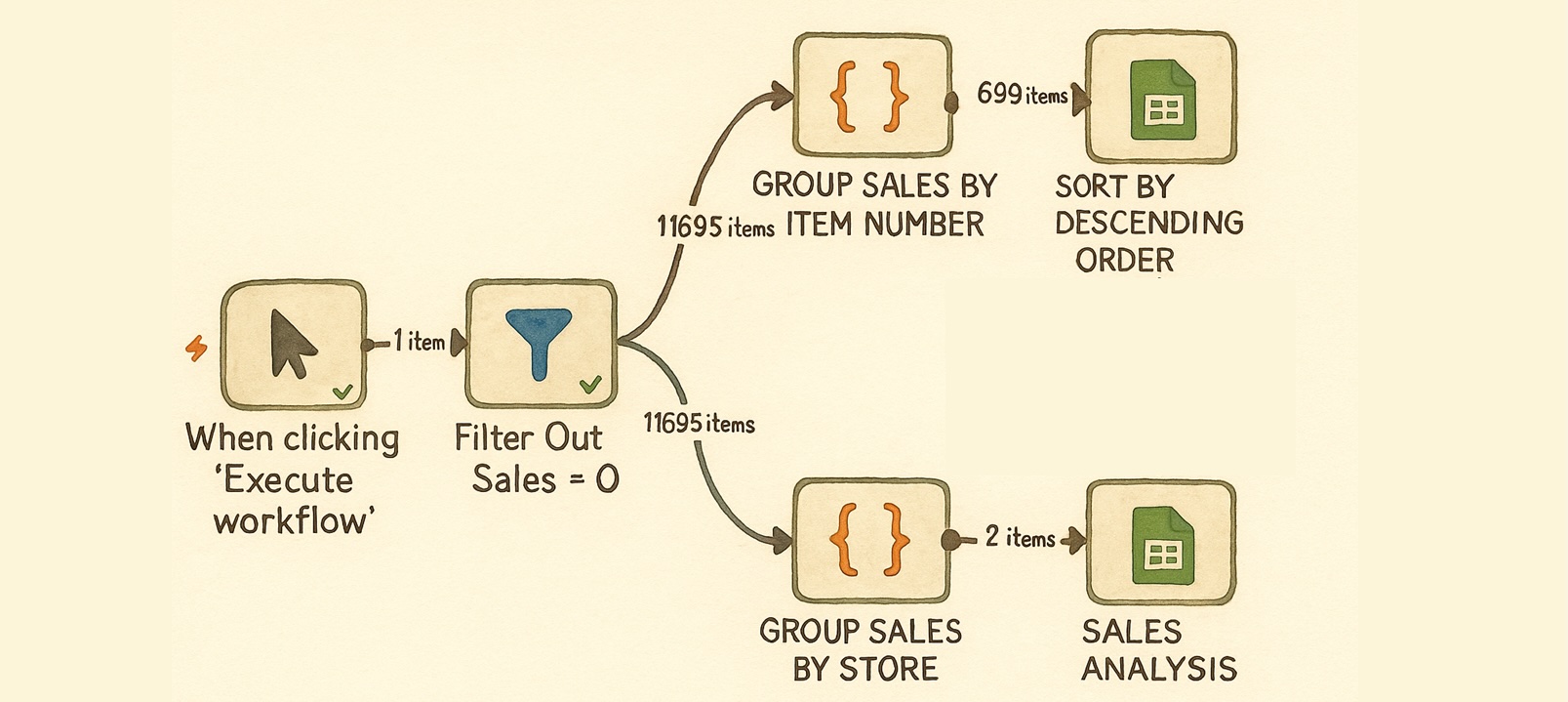
Transitioning from Python to JavaScript for Data Analytics in n8n
In the world of data analytics, versatility is key. As workflows evolve, so do the tools and programming languages we employ. n8n, a powerful tool for automating workflows, has gained popularity for integrating various services and enhancing data processing capabilities. While many users are well-versed in Python, JavaScript is a critical language for maximizing n8n’s potential. This guide explores how to transition from Python to JavaScript in the context of data analytics within n8n, complete with practical code node examples.
Understanding n8n
n8n (pronounced "n-eight-n") is an open-source workflow automation platform that allows users to connect various apps and APIs to automate repetitive tasks. Its visual interface is user-friendly, enabling you to design workflows seamlessly. The platform supports multiple programming languages, but JavaScript is particularly useful in this environment due to its integration capabilities and flexibility.
The Importance of JavaScript in n8n
Although Python is celebrated for its simplicity and extensive libraries, JavaScript is crucial for n8n users. Here are several reasons why:
- Native Language: n8n is built on Node.js, making JavaScript the native language for scripting within the platform.
- Integration with APIs: JavaScript excels at making API calls, which is common in data analytics workflows.
- Real-time Processing: With its asynchronous capabilities, JavaScript can handle real-time data streams efficiently, an essential feature for many analytics scenarios.
Setting Up Your n8n Environment
To get started with data analytics in n8n using JavaScript, follow these steps:
1. Installing n8n
First, ensure you have n8n installed. You can do this through Docker, npm, or by using a desktop application, depending on your preference.
2. Creating Your First Workflow
Once n8n is installed, open the interface in your web browser. Begin by creating a new workflow, which will serve as the foundation for your data analytics operations.
JavaScript Basics for n8n
Before diving into practical examples, it’s essential to grasp some JavaScript fundamentals relevant to data analytics in n8n.
Data Structures
JavaScript uses several data structures, but the most common ones you’ll encounter in n8n are:
- Arrays: Used for storing lists of items.
- Objects: Key-value pairs that represent complex data structures.
Functions
Functions are a crucial aspect of JavaScript. In n8n, they can be defined using the function keyword or arrow function syntax. Understanding how to create and use functions effectively will enhance your workflows.
Practical Examples of JavaScript in n8n
Let’s delve into some practical scenarios where JavaScript can be used for data analytics within n8n.
Example 1: Data Transformation
Data often needs to be transformed before analysis, such as converting formats or aggregating values. In n8n, this can be achieved with the following code snippet:
javascript
const inputData = $json["data"]; // Assume data is an array of objects
const transformedData = inputData.map(item => {
return {
name: item.name.toUpperCase(),
value: item.value * 10
};
});
return transformedData;
This example demonstrates how to capitalize names and multiply values in an array of data objects, streamlining the data for further analysis.
Example 2: Filtering Data
Filtering is an essential step in data analytics. You may need to focus on specific criteria, which can be accomplished like this:
javascript
const inputData = $json["data"]; // Array of objects
const filteredData = inputData.filter(item => item.value > 50);
return filteredData;
This snippet filters the dataset to only include objects where the value exceeds 50, allowing for targeted analysis.
Example 3: API Integration
Integrating with external APIs is a common task in data analytics workflows. Here’s how you can make an API request in a JavaScript code node:
javascript
const axios = require(‘axios’);
const response = await axios.get(‘https://api.example.com/data‘);
return response.data;
This example shows you how to use Axios to fetch data from an API, allowing you to bring in external datasets for analysis.
Workflow Automation in n8n
Once you’ve implemented your JavaScript code nodes, the next step is to automate workflows using n8n’s triggers and integrations. Below are some key components to consider:
Triggers
Triggers initiate workflows based on specific events, such as new data entries or scheduled times. Identifying the right triggers can streamline your analytics processes significantly.
Executing Workflows
You can manually execute workflows or set them on a schedule to run automatically. This flexibility enables continuous data processing, keeping your analytics up-to-date.
Handling Errors in JavaScript
Error handling is crucial in any programming environment. In n8n, JavaScript code nodes should include mechanisms for managing potential errors effectively:
javascript
try {
// Your code here
} catch (error) {
console.error(‘Error occurred:’, error);
return { error: error.message };
}
This example captures any errors that may occur during execution, allowing you to debug issues efficiently.
Expanding Your Skills
Transitioning from Python to JavaScript for data analytics in n8n can initially seem daunting, but with practice, it becomes more manageable. Here are some tips for enhancing your JavaScript skills:
- Online Resources: Utilize websites, tutorials, and documentation specific to JavaScript and n8n.
- Community Engagement: Participating in forums and communities can provide valuable insights and support.
- Experimentation: Build small projects or practice with existing n8n workflows to refine your coding skills.
Conclusion
By embracing JavaScript within n8n, data analytics enthusiasts can unlock powerful capabilities for workflow automation and data processing. As you become more familiar with JavaScript’s syntax and features, you’ll discover new ways to optimize your analytics tasks, bridging the gap between data sources and actionable insights. Whether you’re transforming data, integrating APIs, or automating workflows, mastering JavaScript will significantly enhance your data analysis experience in n8n.
