
Blog
Free WooCommerce Popup Plugin | WordPress Popups and Banners | WowOptin Tutorial
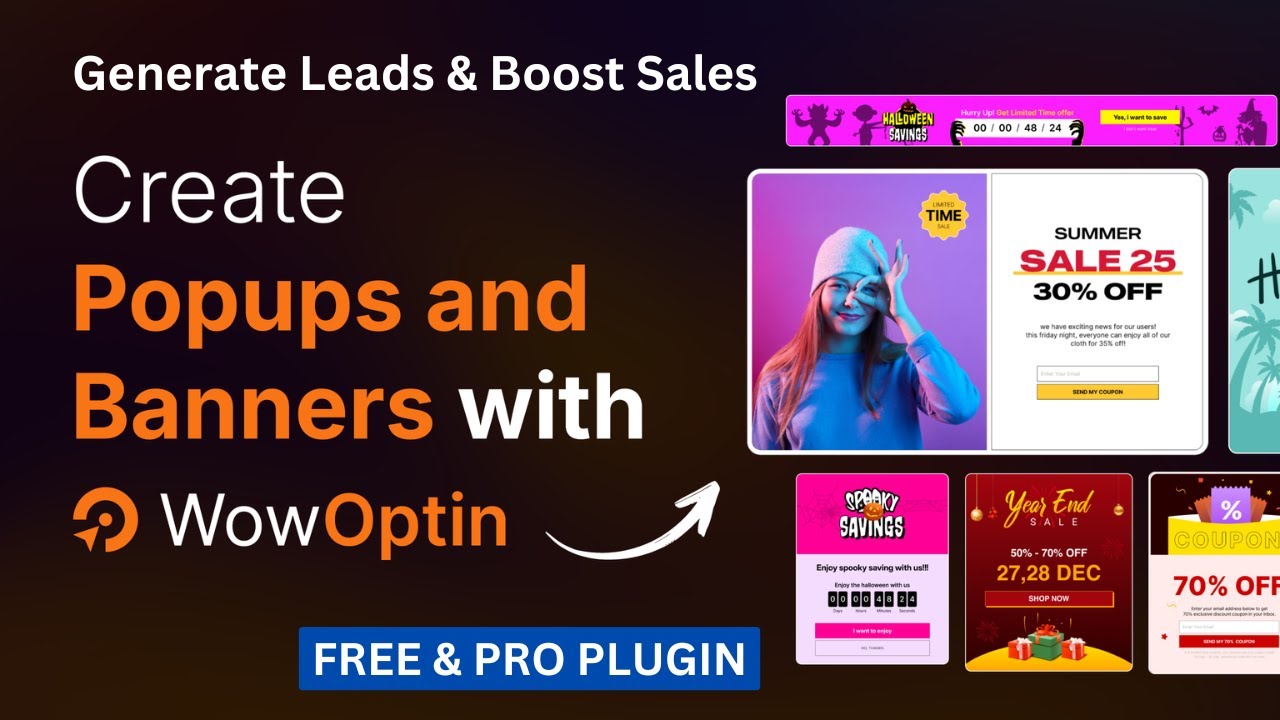
Introduction to Free WooCommerce Popup Plugin
In the fast-paced world of eCommerce, engaging your customers effectively is crucial for maximizing conversions and sales. One powerful tool that can streamline this process is a WooCommerce popup plugin. This guide will explore the features, benefits, and how to effectively implement a free WooCommerce popup plugin, enhancing your WordPress site and boosting your online business’s effectiveness.
What is a WooCommerce Popup Plugin?
A WooCommerce popup plugin is a specialized tool designed for WordPress websites running WooCommerce. It allows you to create attention-grabbing popups and banners that can display various types of content, including promotional offers, email subscription forms, announcements, and more. By leveraging the capabilities of such plugins, you can improve customer engagement, optimize conversions, and provide a better overall shopping experience.
Core Features of WooCommerce Popup Plugins
When looking for a WooCommerce popup plugin, certain core features can significantly enhance its effectiveness:
-
Drag-and-Drop Builder: This feature enables users to design popups easily, requiring no technical skill or coding knowledge. Customizing layouts is straightforward, allowing for a personalized touch.
-
Responsive Design: Ensure that your popups look great on all devices, from desktops to smartphones. Responsive design is crucial for maintaining a seamless user experience.
-
Targeting Options: Advanced targeting features allow you to control when and to whom popups are displayed. You can target specific pages, user behaviors, or even geographical locations.
-
A/B Testing Capabilities: Test different versions of your popups to determine which performs better, optimizing your strategies based on data-driven insights.
-
Integration with Email Marketing Services: Connect your popups with various email marketing platforms, allowing for the direct collection of subscriber information.
- Analytics and Tracking: Monitor your popups’ performance through robust analytics tools, helping you understand customer interactions better.
Why Use a WooCommerce Popup Plugin?
Utilizing a WooCommerce popup plugin offers numerous advantages that can enhance your site’s performance. Here are some compelling reasons to consider implementing one:
Heightened Customer Engagement
Popups grab attention. When used strategically, they can significantly enhance engagement by presenting offers or gathering feedback at the right moment. This interaction can lead to increased customer retention and loyalty.
Higher Conversion Rates
Well-crafted popups encourage visitors to take action, whether it’s signing up for a newsletter, making a purchase, or taking advantage of a limited-time offer. By presenting relevant content at the right time, you can significantly increase your conversion rates.
Reduced Cart Abandonment
Popup plugins can play a pivotal role in reducing cart abandonment rates. A timely popup reminding users of their uncompleted purchases or providing a discount code can incentivize them to finalize their transactions.
Improved User Experience
When implemented properly, popups can enhance the overall user experience. For instance, a well-timed offer presented when a user is about to leave the site can provide value rather than annoyance.
How to Install and Use a Free WooCommerce Popup Plugin
Setting up a free WooCommerce popup plugin is typically straightforward. Here’s a step-by-step guide:
1. Choosing the Right Plugin
Start by researching the available free WooCommerce popup plugins. Popular options include:
- Popup Maker
- Hustle
- Popup Builder
Each of these offers a unique set of features, so select one that best meets your needs.
2. Installation Process
- Log in to your WordPress Dashboard.
- Navigate to Plugins and click on Add New.
- Use the search bar to find your chosen plugin.
- Click Install Now and then select Activate.
3. Configuring Your Popup
Upon activation, you generally need to configure the plugin settings:
- Create a New Popup: Most plugins feature a clearly labeled button for this.
- Customize Your Design: Utilize the drag-and-drop editor to design your popup. Include eye-catching images and compelling copy.
- Define Targeting Rules: Set the parameters for when and where your popup appears, focusing on user experience and relevancy.
4. Testing Your Popup
Before launching your popup site-wide, it’s advisable to test it:
- Check responsiveness across different devices.
- Ensure that it triggers correctly based on your specified rules.
- Test the conversion process to make sure everything functions smoothly.
5. Monitor and Optimize
Once your popup is live, monitor its performance using the analytics tools available within the plugin. Pay attention to metrics such as conversion rates and engagement levels. If it isn’t performing as expected, consider A/B testing different designs or content to optimize effectiveness.
Best Practices for Using WooCommerce Popups
While popups can be incredibly effective, they should be used judiciously to avoid overwhelming or annoying visitors. Here are some best practices:
Timing is Key
Ensure that your popups appear at the right time. For instance, triggering a popup after a user has spent a certain amount of time on a page or when they are about to exit can lead to better engagement.
Offer Value
Honestly, convey what visitors gain by interacting with your popup. Whether it’s a discount, exclusive content, or a valuable resource, make sure the incentive is clear.
Keep It Simple
The design and content of your popup should be straightforward. Avoid clutter and ensure your call to action is prominent and easy to understand.
Limit Frequency
To prevent user frustration, limit how often a particular popup appears for returning visitors. Consider using cookies or local storage to manage this.
Ensure Easy Dismissal
Always provide an easy way for users to close the popup. This small detail is crucial for maintaining a positive user experience.
Conclusion
Implementing a free WooCommerce popup plugin can provide significant benefits for your online store, enhancing customer engagement and boosting conversion rates. By selecting the right plugin, configuring it thoughtfully, and following best practices, you can create compelling popups that resonate with your audience and contribute positively to your eCommerce goals. Don’t underestimate the power of this simple tool in driving your sales and improving customer interaction—take the leap and watch your business thrive!
