
Blog
Creating A Gap-Based Spacing System With Divi 5
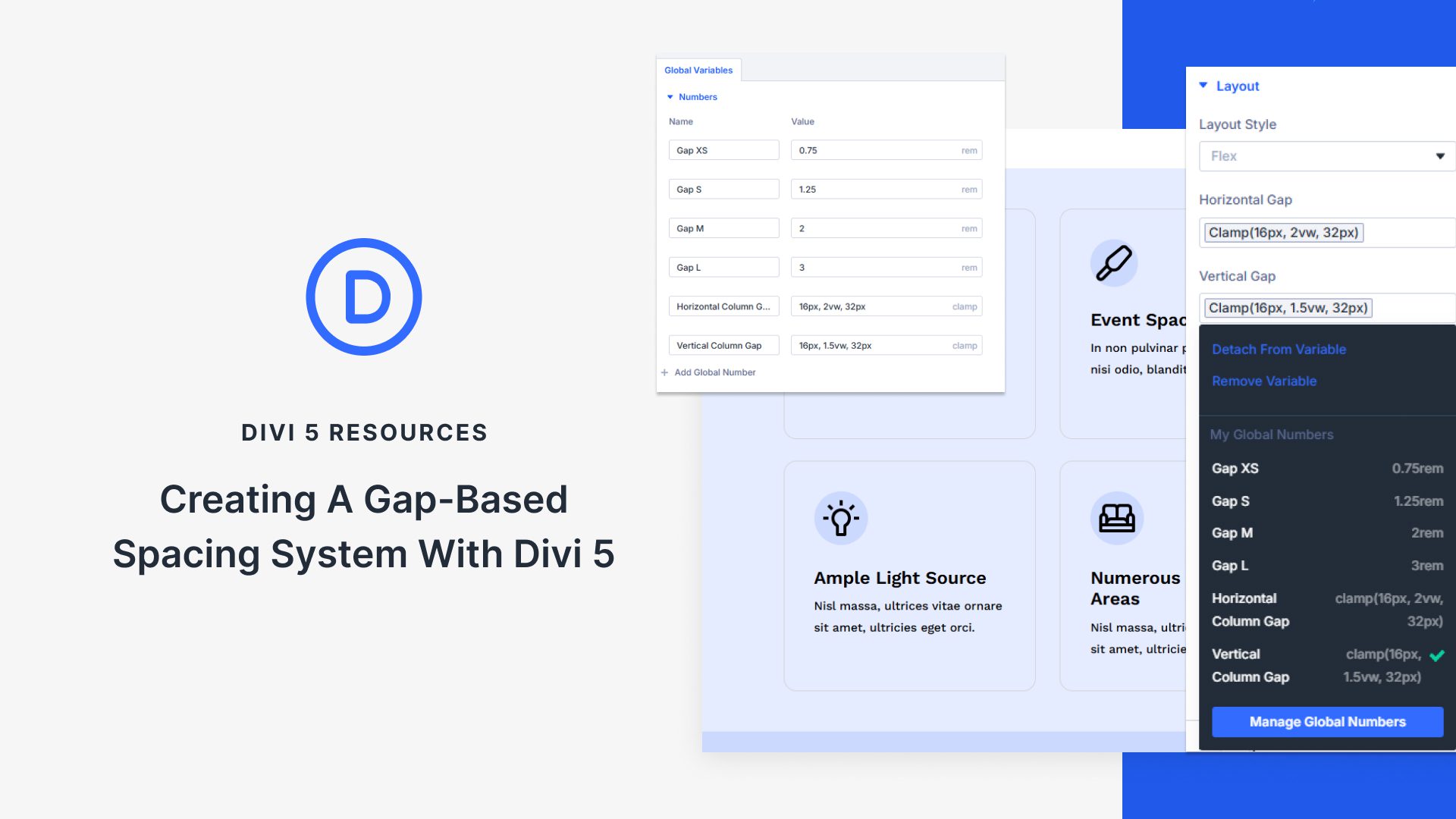
Understanding Gap-Based Spacing in Divi 5
Divi 5 is a powerful and versatile theme that brings flexibility and creativity to web design. One of its standout features is the gap-based spacing system, which allows webmasters to control the spacing between elements with precision. In this article, we’ll explore how to implement this system effectively, ensuring that your layout is not only aesthetically pleasing but also user-friendly.
What is Gap-Based Spacing?
Gap-based spacing refers to the practice of using defined gaps between elements to create a sense of balance and organization on a webpage. In Divi 5, the spacing system offers a simple way to manage these gaps, making it easier to align content while maintaining visual appeal.
This approach allows you to specify how much space to leave between different sections, rows, and modules. By strategically using these gaps, you can enhance the overall user experience and guide visitors through your content effortlessly.
Benefits of Using a Gap-Based Spacing System
1. Enhanced Visual Hierarchy
One of the primary benefits of a well-designed gap-based system is its ability to create a clear visual hierarchy. By defining specific spaces between elements, you can direct the viewer’s attention to important content areas, such as calls to action or featured products.
2. Improved Readability
Proper spacing can significantly impact the readability of your text. By avoiding clutter and ensuring that elements are well-separated, you make it easier for readers to absorb information. This is crucial for keeping them engaged and encouraging them to navigate further through your site.
3. Consistency Across the Site
Establishing a gap-based spacing system promotes consistency throughout your website. By applying the same spacing guidelines across various pages, you ensure that your brand has a cohesive look and feel, reinforcing your identity in the user’s mind.
How to Implement a Gap-Based Spacing System in Divi 5
Step 1: Accessing the Divi Builder
Begin by logging into your WordPress dashboard and navigating to the page where you want to implement the gap-based spacing system. Click on the "Enable Divi Builder" button to start editing.
Step 2: Adding Elements
Once in the builder, you can start adding sections, rows, and modules as needed. To achieve a proper layout, remember to consider the gaps you want to have between each element. For example, if you are creating a landing page, you may choose to add more space between headings, text, and images to highlight each area effectively.
Step 3: Customizing Spacing Settings
After adding your elements, you can customize the spacing for each one. Divi 5 provides options for adjusting margin and padding directly within the module settings.
- Margin: Use margins to define the space outside of an element. This is crucial for creating gaps between different elements on the page.
- Padding: On the other hand, padding adjusts the space within an element, like cushioning text within a button. Both are important to achieving the right aesthetic balance.
Step 4: Utilizing the Gap Settings
Divi 5 includes a gap option that simplifies the process of adding consistent spacing. You can find this option in the customizer settings. By defining a set gap size, you can ensure that all elements adhere to your chosen spacing guidelines, maintaining a uniform appearance throughout your design.
Tips for Effective Gap Management
1. Keep Your Audience in Mind
When determining the size of the gaps, consider the preferences of your target audience. A more minimalistic approach may appeal to professionals, while a vibrant and spacious layout might resonate more with creative fields. Test different spacing options to find what works best for your visitors.
2. Use Grid Systems
Utilizing a grid layout can help you visualize how various elements will fit together within your design. Grid systems effectively guide the placement of components on your page while ensuring a harmonious balance of gaps.
3. Experiment with Different Screen Sizes
Responsive design is essential today, as users access websites from various devices. Always preview your gap-based system on different screen sizes to ensure it looks good on mobile, tablet, and desktop views. Adjust spacing accordingly to maintain usability.
4. Avoid Overcrowding
While it can be tempting to fill every inch of space with information, allow for breathing room. Empty spaces can enhance the overall feel of a design, making it more inviting. Strive for a balanced design that encourages exploration.
Examples of Effective Gap Usage
To illustrate the power of a gap-based spacing system, consider how different industries can employ this technique effectively:
- E-commerce Websites: Use generous spacing between product images and descriptions to allow each item to stand out, helping customers make decisions easily.
- Blogging Sites: Create ample gaps between headlines and body text for easier reading, especially on longer articles.
- Restaurant Sites: Showcase menu items with clearly defined gaps that separate each entry, emphasizing diversity and making it easy for customers to skim through options.
Troubleshooting Common Spacing Issues
If you’re encountering issues with spacing in Divi 5, here are some common problems and their solutions:
Inconsistent Gaps
If you notice inconsistencies in spacing, double-check your margin and padding settings for each element. It may be beneficial to create a style guide to maintain uniformity across all sections.
Overlapping Elements
Should your elements overlap, review the responsive settings. Make sure that your styling adjusts appropriately for different screen sizes to prevent layout issues.
Unwanted Scroll
Excessive gaps may lead to unwanted scrolling, particularly on mobile devices. When designing, keep in mind the user journey and screen real estate, and aim for an efficient flow.
Conclusion
A gap-based spacing system can tremendously elevate the aesthetic and functional aspects of your Divi 5 website. By implementing this approach, you can create a visually appealing, well-organized website that effectively engages visitors. Keep these tips and strategies in mind as you design, ensuring your site stands out while providing an excellent user experience. Whether you’re crafting a blog, an online store, or a portfolio, mastering spacing will prove invaluable in your web design journey.
