
Blog
Create FREE Popups in WordPress
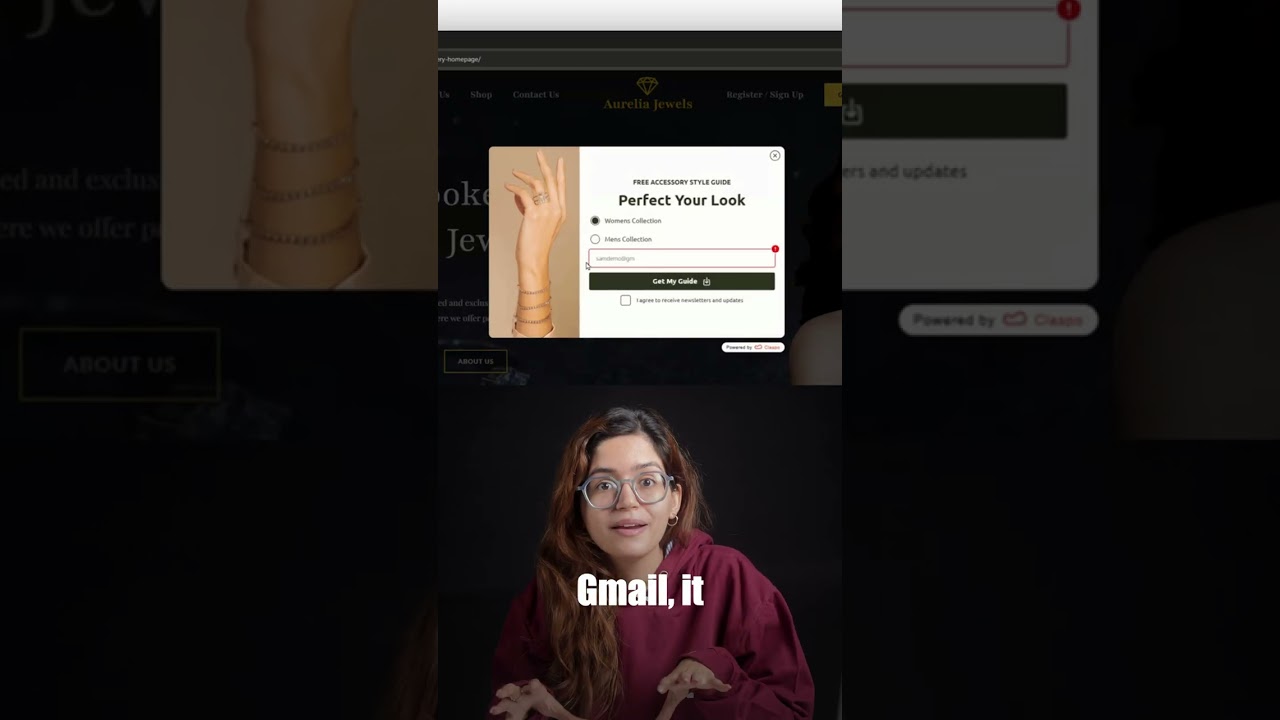
Creating effective popups for your WordPress website is a powerful strategy to grow your email list, promote special offers, and reduce cart abandonment. For many business owners and marketers, the assumption is that such powerful tools come with a significant cost. However, the reality is that you can design, launch, and manage high-converting popups without spending a single dollar.
This guide will walk you through the entire process of creating free, professional-grade popups for your WordPress site. We will explore the best free plugins, delve into strategic best practices for maximum conversion, and ensure your popups enhance rather than detract from the user experience.
Why Popups Are a Non-Negotiable Marketing Tool
Before we dive into the "how," it’s crucial to understand the "why." Popups, when implemented correctly, are far more than just digital interruptions. They are strategic touchpoints that serve critical business functions.
The primary advantage of a well-timed popup is its ability to capture visitor attention directly. Unlike a static banner or a sidebar form, a popup occupies the center of the screen, making it impossible to ignore. This direct engagement is invaluable for:
- Email List Building: Converting anonymous visitors into known subscribers is the cornerstone of digital marketing. An enticing offer delivered via a popup can significantly boost your sign-up rates.
- Promoting Sales and Discounts: Announcing a limited-time sale or offering a first-time purchase discount directly through a popup ensures maximum visibility for your promotions.
- Reducing Cart Abandonment: For e-commerce sites, a strategically timed popup offering help or a small incentive can be the difference between a lost sale and a completed purchase.
- Highlighting Key Content: Draw attention to your latest blog post, a downloadable guide, or an upcoming webinar to deepen user engagement with your site.
The key to success lies in execution. A poorly designed or intrusive popup can harm user experience, while a thoughtful one can provide genuine value.
Selecting the Right Free Popup Plugin for WordPress
The WordPress ecosystem is rich with plugins, and several standout options offer robust popup creation tools for free. Here are three of the most highly regarded choices.
1. OptinMonster (Free Starter Plan)
While OptinMonster is primarily known as a premium powerhouse, it offers a free version that is surprisingly capable. Its drag-and-drop builder is intuitive and user-friendly, making it an excellent choice for beginners.
Key Features in the Free Plan:
- Access to basic but effective templates.
- Simple drag-and-drop editor for customization.
- Core targeting rules, such as exit-intent technology (triggering a popup when a user is about to leave the site).
- Easy integration with popular email marketing services.
OptinMonster’s free plan is a great way to get a feel for professional-grade popup software with the option to upgrade for more advanced features later.
2. HubSpot WordPress Plugin
For users already invested in the HubSpot ecosystem, their free WordPress plugin is a perfect solution. It seamlessly connects your website to HubSpot’s free CRM and marketing tools.
Key Features:
- Create popup forms directly within your HubSpot account and easily embed them on your WordPress site.
- All captured lead information is stored in your free HubSpot CRM.
- Basic analytics to track your popup’s performance.
- Excellent for those who want a centralized platform for their marketing, sales, and service tools.
3. Ninja Popups for WordPress
This dedicated free plugin is built specifically for creating popups and is beloved for its simplicity and effectiveness. It’s lightweight and focuses on doing one thing very well.
Key Features:
- A straightforward interface for quick creation and deployment.
- Multiple trigger options, including timed delay, exit-intent, and scroll-based triggers.
- Customizable designs to match your website’s branding.
- Supports various types of content beyond just forms, such as videos and images.
A Step-by-Step Guide to Creating Your First Popup
Let’s create a popup using a generic free plugin (the steps are similar across most platforms). We’ll assume you’ve chosen and installed one of the plugins mentioned above.
Step 1: Install and Activate Your Chosen Plugin
Navigate to your WordPress dashboard. Go to Plugins > Add New. Search for your chosen plugin (e.g., "OptinMonster" or "HubSpot"). Click "Install Now" and then "Activate."
Step 2: Create a New Campaign
Most plugins refer to a popup as a "campaign." Locate the plugin’s menu in your dashboard (it’s often a top-level menu item) and click "Create New Popup" or "New Campaign."
Step 3: Choose a Template
Select a pre-designed template that fits your goal. Whether it’s an email signup form, a sale announcement, or a lead magnet download, starting with a template saves immense time. Most free plugins offer a selection of clean, professional templates.
Step 4: Customize Your Design and Message
This is where you make the popup your own. Use the built-in editor to:
- Write compelling copy: Clearly state the value proposition. What does the user get?
- Add your branding: Incorporate your logo, brand colors, and fonts to ensure consistency.
- Design the form fields: Typically, you just need an email field. Keep it simple.
- Create a strong call-to-action (CTA) button: Use action-oriented text like "Get My Discount" or "Download Now."
Step 5: Configure Display Rules and Triggers
This is the most critical step for user experience. Your display rules determine who sees the popup and when.
- Triggers: Decide what user action will prompt the popup. Common options include:
- Exit-Intent: Displays when the system detects the user moving their cursor towards the browser’s close button.
- Timed Delay: Shows the popup after the user has been on the page for a set amount of time (e.g., 30 seconds).
- Scroll-Based: Triggers after the user has scrolled a certain percentage down the page.
- Targeting: You can often choose which pages to show the popup on (e.g., your blog posts but not your checkout page).
Step 6: Integrate with Your Email Service
Connect your popup to your email marketing service (like Mailchimp, ConvertKit, or SendinBlue). This is usually done by entering an API key. This ensures that every signup is automatically added to your chosen mailing list.
Step 7: Publish and Test
Once you’re satisfied, publish your campaign. Then, visit your website as a user would to test the popup. Does it trigger correctly? Does it look good on mobile? Testing is essential to ensure a seamless experience.
Best Practices for High-Converting Popups
Creating a popup is easy; creating one that converts is an art. Follow these best practices to ensure your popups are effective and welcomed.
- Offer Immense Value: Your offer must be irresistible. A generic "Subscribe to our newsletter" is weak. Instead, offer a discount code, a free ebook, a checklist, or exclusive content. The value should be obvious and immediate.
- Master the Timing: An exit-intent popup is fantastic for capturing leaving visitors. A timed popup (after 30-60 seconds) allows the user to engage with your content first. Avoid showing a popup the millisecond a page loads.
- Ensure Mobile Responsiveness: Over half of all web traffic is mobile. Your popup must look and function perfectly on smartphones and tablets. All reputable free plugins offer responsive designs.
- Keep It Simple: A clean, uncluttered design with a clear headline, a brief description, a simple form, and a bold CTA button will always outperform a complex, busy popup.
- Use Polite Display Rules: Implement rules to avoid frustrating returning visitors. For example, don’t show the popup to someone who already subscribed. Many plugins offer this functionality, often called "never show again" cookies.
Avoiding Common Popup Mistakes
Steer clear of these pitfalls to maintain a positive user experience and protect your site’s SEO (as Google can penalize sites with intrusive interstitials).
- Don’t Be Obstructive: Avoid popups that are difficult to close. Always have a clear and visible "X" button.
- Don’t Ask for Too Much Information: Requesting a name and email is acceptable for a lead magnet. Asking for a phone number, company name, and address in the first interaction will drastically lower conversion rates.
- Don’t Show Popups on Inappropriate Pages: Never show a subscription popup on a checkout page or a contact form page. It disrupts the user’s intended goal and will increase abandonment.
Conclusion: Unleash Your Growth Potential for Free
Building a successful online presence requires smart tools and strategies, and popups are undoubtedly one of the most effective. The misconception that they are expensive or require coding expertise is simply not true. With the powerful free plugins available today, any WordPress user can create stunning, high-converting popups that drive real business growth.
By selecting the right tool, following a strategic setup process, and adhering to user-centric best practices, you can transform your website from a passive brochure into an active lead generation engine. There has never been a better time to harness the power of popups without investing a single dollar. Start experimenting today and watch your subscriber list—and your business—flourish.
