
Blog
Apple Powerbeats Pro 2 Firmware Update Enhances Heart Rate and Audio Features
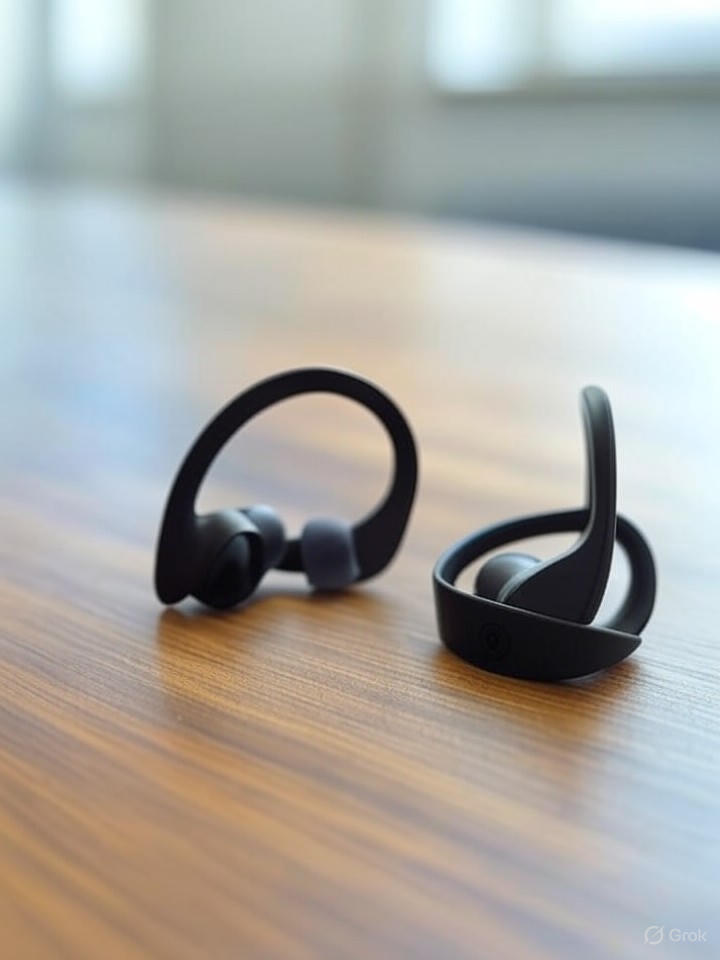
Unleash the Potential of Your Apple Powerbeats Pro 2 with the Latest Firmware Update
If you own Apple Powerbeats Pro 2, you may have noticed a remarkable enhancement in performance following the latest firmware update. This upgrade focuses on optimizing heart rate monitoring and audio features, elevating your listening experience and fitness tracking. In this article, we’ll explore the key improvements stemming from the update, how to navigate the changes, and tips to maximize your earbuds’ capabilities.
What’s New in the Firmware Update?
The latest firmware update for the Apple Powerbeats Pro 2 brings several enhancements that are geared towards fitness enthusiasts and audiophiles alike. With these changes, you can expect the following upgrades:
- Improved Heart Rate Monitoring: Enhanced accuracy in heart rate tracking during workouts.
- Crystal Clear Audio: Adjustments to sound quality, providing a richer auditory experience.
- Battery Efficiency: Optimizations to ensure longer usage time between charges.
Highlights of the Heart Rate Monitoring Improvements
The firmware update introduces significant upgrades to the heart rate monitoring capabilities. Here’s what you can expect:
-
Real-Time Tracking: The heart rate sensor now provides even more precise real-time data, allowing users to gauge their performance on-the-go.
-
Compatibility with Fitness Apps: Integration with various fitness applications, such as Apple Health, enables seamless tracking of workout metrics.
- Alerts for Heart Rate Zones: Users can receive notifications when they enter specific heart rate zones, helping to optimize workout intensity.
Enhancing Your Audio Experience
The audio features have also undergone substantial improvements in this firmware update. The enhancements include:
-
Sound Quality: The update fine-tunes audio dynamics, ensuring balanced lows, mids, and highs.
-
Noise Isolation: Improved passive noise isolation helps drown out external sounds, allowing for an immersive listening experience.
- Adaptive EQ: Automatic adjustments to the sound profile based on your environment and ear shape result in tailored audio output.
How to Update Your Powerbeats Pro 2 Firmware
To ensure you benefit from the latest enhancements, follow these steps to update your Powerbeats Pro 2 firmware:
-
Connect to Your Device: Ensure your Powerbeats Pro 2 is connected to your iPhone or iPad via Bluetooth.
-
Access the Settings: Open the Settings app on your device and navigate to the Bluetooth settings.
-
Check for Updates: If an update is available, follow the on-screen instructions to complete the firmware upgrade.
- Confirm Completion: After the update, confirm the version number to ensure everything has been installed correctly.
Tips for Maximizing Your Powerbeats Pro 2
To get the most out of your Powerbeats Pro 2, consider the following tips:
-
Regularly Clean Your Earbuds: Keep your earbuds clean to maintain optimal sound quality and hygiene.
-
Use the Right Ear Tips: Ensure you are using the correct size of ear tips for a secure fit and improved noise isolation.
- Charge Regularly: Maintain a regular charging schedule to prevent downtime and enjoy uninterrupted usage.
Frequently Asked Questions
1. What devices are compatible with the Powerbeats Pro 2?
The Powerbeats Pro 2 is compatible with most Bluetooth-enabled devices, including iPhones, iPads, and Android smartphones.
2. How can I tell if my Powerbeats Pro 2 needs a firmware update?
You can check for updates through the Bluetooth settings of your connected device. If an update is available, it will prompt you for installation.
3. What should I do if my earbuds don’t update?
First, ensure your earbuds are fully charged and connected to a reliable internet source. If issues persist, consider resetting your Powerbeats Pro 2.
Final Thoughts
The latest firmware update for Apple Powerbeats Pro 2 introduces vital enhancements to heart rate monitoring and audio performance, positioning them as a must-have accessory for fitness enthusiasts and music lovers. By understanding these new features and best practices, you can elevate your listening experience and maximize your workout efficiency.
Internal Links and Further Reading
For more tips and insights into maximizing your audio devices, check out these pages:
By embracing the latest firmware update and following best practices, you’re well on your way to unlocking the full potential of your Apple Powerbeats Pro 2. Enjoy the enhanced features and make every workout soundtrack unforgettable!
