Introduction to AI Website Builders on WordPress.com
In today’s digital landscape, creating a website is essential for businesses, creatives, and anyone looking to establish an online presence. With technological advancements, AI website builders have emerged as a powerful tool that simplifies this process. WordPress.com, a popular platform for website creation, has integrated AI features that make building a website more accessible and efficient. This guide will walk you through the process of creating a website using AI on WordPress.com and optimizing it effectively for search engines.
Understanding AI Website Building
Before diving into the practical steps of creating your website, it’s crucial to grasp what AI website builders entail. These tools leverage artificial intelligence to automate various aspects of website creation, layout design, and content generation. This means even those with minimal technical skills can produce a visually appealing and functional site.
Benefits of Using AI for Website Creation
-
Speed and Efficiency: AI tools can generate templates, suggest layouts, and even create textual content, drastically reducing the time it takes to launch a site.
-
Customization Options: While AI provides ready-made solutions, it also allows for extensive customization, enabling you to tailor your site to reflect your brand’s identity.
-
User-Friendly: These tools often feature intuitive interfaces that guide users through the setup process, making website creation less daunting.
- SEO Optimization: Many AI builders incorporate best practices for SEO, helping your website rank better in search engine results.
Getting Started with WordPress.com
To begin your journey with an AI website builder on WordPress.com, follow these initial steps:
Step 1: Sign Up for WordPress.com
To create a new website, start by signing up for a WordPress.com account. You can opt for a free plan to explore the platform or choose a paid plan for additional features.
Step 2: Select a Domain Name
Choose a memorable and relevant domain name that aligns with your brand or personal identity. A good domain name enhances your website’s professionalism and searchability.
Step 3: Choose an AI Builder Option
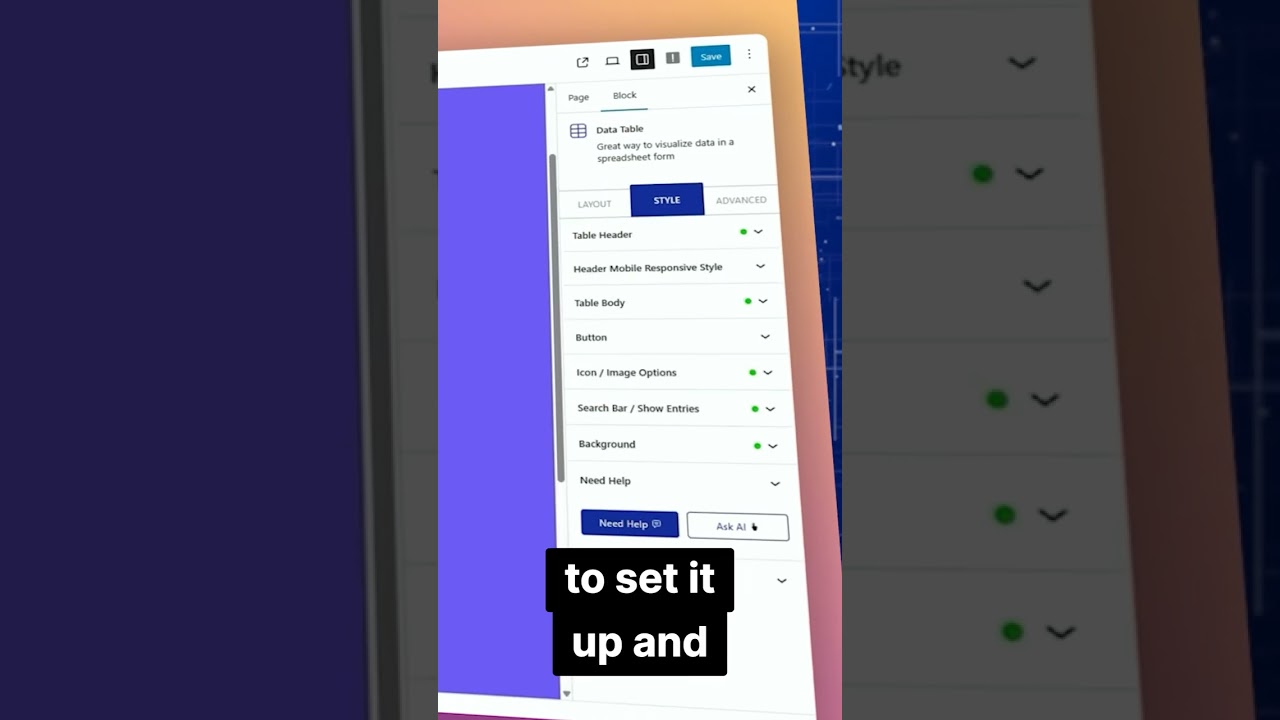
Upon signing up, you will have the option to use WordPress’s integrated AI tools. Here’s how to access them:
- Go to your WordPress dashboard.
- Click on "My Site" and then select "Site Settings."
- Navigate to the AI Tools section to explore various options available.
Designing Your Website Using AI
Once you’ve set up your account and chosen an AI tool, it’s time to start designing your website. Here’s a step-by-step guide on utilizing the AI features effectively:
Step 1: Choose a Template
AI website builders typically offer a range of templates suitable for various industries. Pick a template that aligns with your goals. Consider the layout, color scheme, and overall aesthetic.
Step 2: Use AI for Content Generation
One of the standout features of AI website builders is their ability to assist in content creation. You can use the AI tool to generate introductory texts, service descriptions, or even blog posts. To get started:
- In the content section, select the type of content you need.
- Provide a brief description or keywords related to your page’s topic.
- Review and edit the generated content for personalization.
Step 3: Customize Your Design
While AI tools provide a solid foundation, customization is essential for creating a unique site. Here’s how you can personalize your website further:
-
Change Colors and Fonts: Access the design panel to modify colors, fonts, and spacing to match your brand’s identity.
-
Upload Images: Use high-quality images that relate to your content. AI can suggest image placements, but you may want to customize these to showcase your brand effectively.
- Add Widgets and Plugins: To enhance functionality, explore available widgets and plugins that can improve user experience and site performance.
Integrating SEO Best Practices
Building your website with AI is just one part of the process; optimizing it for search engines is equally important. Here’s how to ensure your AI-built site adheres to SEO best practices:
Perform Keyword Research
Identify relevant keywords and phrases targeting your audience. Use tools like Google Keyword Planner or SEMrush to find popular search terms in your niche.
Optimize Meta Tags
Ensure that each page on your website has unique and descriptive meta titles and descriptions. AI tools can often generate these, so make sure to personalize them to improve click-through rates.
Use Headers Effectively
Incorporate headers (H1, H2, H3) to structure your content logically. This not only improves readability but also helps search engines understand your content hierarchy.
Optimize Images
Include alt tags for all images, as they contribute to SEO and accessibility. The alt text should describe the image and include relevant keywords where appropriate.
Publishing Your Website
Once you’ve designed and optimized your site, it’s time to publish. Here’s a quick checklist before hitting that ‘Publish’ button:
-
Proofread Your Content: Ensure all text is free of grammatical errors and typos. A polished website reflects professionalism.
-
Check Links: Test all internal and external links to ensure they function correctly.
- Mobile Responsiveness: Verify that your site looks good and operates well on mobile devices.
Step 1: Review Settings
Navigate back to your settings to finalize your site title, tagline, and visibility preferences. Ensure that your site is set to appear in search engine results.
Step 2: Hit Publish!
Once everything is set and reviewed, click on the “Publish” button in your dashboard. Congratulations on launching your new AI-powered website!
Post-Publication Tips
After publication, the journey isn’t over. Here’s how to maintain and improve your site:
Regularly Update Content
Keep your site fresh and engaging by regularly updating content, adding new blog posts, and revisiting older pages to refresh information.
Monitor Performance
Use analytics tools within WordPress or external services like Google Analytics to track user engagement. This data will inform your strategy for future improvements.
Engage with Your Audience
Encourage user interaction through comments, social media links, and newsletter sign-ups. This not only builds a community but also enhances your SEO through increased traffic.
Conclusion
Creating a website using AI on WordPress.com is an approachable and efficient way to showcase your brand or personal project. By following the outlined steps from setup to optimization, you can build a professional and engaging site that stands out in today’s competitive online space. With the right tools and strategies, your AI-generated website can become a powerful asset for your digital presence.