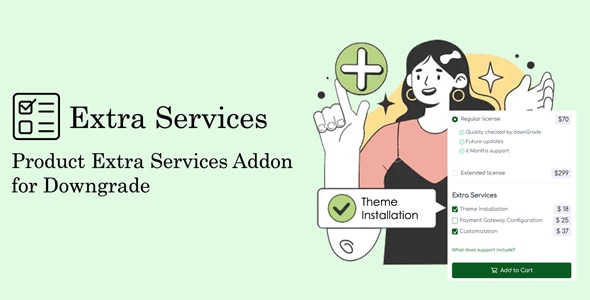
Product Extra Services Addon for Downgrade
In the fast-paced world of technology and software, flexibility is vital. Whether businesses are scaling up or down, the need for adaptable services is paramount. The Product Extra Services Addon for Downgrade offers just the solution for those looking to streamline their operations without compromising on quality. This addon provides an array of essential services aimed at simplifying the downgrade process, ensuring that businesses can modify their subscriptions to better suit their evolving needs.
Understanding the Need for Downgrades
In today’s dynamic marketplace, businesses often find that their initial subscription levels may no longer align with their operational requirements. This could stem from various factors, including changes in staffing, budget constraints, or a shift in business focus. As a result, having a reliable mechanism to downgrade services without losing critical features becomes essential. The Product Extra Services Addon for Downgrade addresses this need directly, allowing organizations to adapt to their current situations seamlessly.
Key Features of the Product Extra Services Addon
The Product Extra Services Addon for Downgrade is designed with user-friendliness in mind, offering an array of features that cater to varying business needs. Here are some of the key features that stand out:
1. Flexible Subscription Management:
Businesses can easily manage their subscriptions with this addon. It provides straightforward options to downgrade services step-by-step, ensuring clarity throughout the process. This flexibility eliminates unnecessary complications and streamlines operational adjustments.
2. Assured Data Retention:
One major concern during a downgrade is the potential loss of critical data. The Product Extra Services Addon for Downgrade emphasizes data retention, ensuring that even as organizations scale down, their essential information remains intact and accessible.
3. Comprehensive Customer Support:
Navigating downgrades can often lead to confusion. With this addon, businesses can benefit from comprehensive customer support, available to assist users at every stage of the downgrade process. This ensures that all concerns are promptly addressed, making the entire experience smoother.
4. Cost-Effective Solutions:
The addon can lead to substantial savings. By downgrading unnecessary services, businesses can allocate their budgets more efficiently and focus on core functionalities, allowing room for strategic investments in more critical areas.
5. Customizable Options:
Every business is unique, and so are its needs. The Product Extra Services Addon allows for customizable downgrade options, empowering users to tailor their experiences according to specific requirements. This personalization ensures that even downsized services still meet the essential demands of the organization.
Best Practices for Implementing the Addon
To maximize the potential benefits of the Product Extra Services Addon for Downgrade, here are some best practices businesses should consider:
– Assess Current Needs: Before initiating a downgrade, it’s crucial to analyze the current usage of services. Understanding which features are vital and which can be reduced or eliminated will assist in a smoother transition.
– Communicate with Teams: Ensure all team members are informed about the downgrade process. Address any concerns they may have, as their insights may reveal essential areas to focus on or retain.
– Document the Process: Keep track of the changes made during the downgrade. Detailed documentation can serve as a reference for future adjustments and ensure that the organization remains aligned with its operational goals.
– Follow Up: After the downgrade, monitor performance closely. This assessment will help in determining the effectiveness of the new setup and whether any further changes are necessary.
Conclusion
The Product Extra Services Addon for Downgrade is more than just a tool; it’s a vital resource for businesses aiming to navigate the complexities of service adjustments gracefully. By incorporating this addon, companies can ensure that they maintain operational efficiency, even during necessary downgrades. With its focus on flexibility, data retention, and user support, this addon is positioned to support businesses through transitional phases effectively.
In a world where change is the only constant, having the ability to adapt quickly and efficiently is invaluable. The Product Extra Services Addon for Downgrade not only makes this possible but does so while keeping the interests and needs of the business front and center. Whether you’re looking to refine your services or reallocate resources, this addon stands out as a key asset. Embrace the opportunity to streamline your operations and maintain your competitive edge with this exceptional service.
Browse more in PHP Scripts, including Ready eCommerce – Complete Multi Vendor eCommerce Mobile App, Customer Website with Store POS. Official source: PHP official site.






Reviews
Clear filtersThere are no reviews yet.