NPDF PDF Editor Flutter App with Google Ads
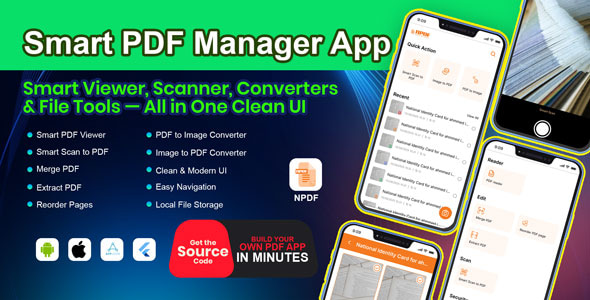
In today’s digital age, the ability to edit PDF files conveniently and efficiently is paramount. The NPDF PDF Editor, developed using Flutter, stands out as a versatile app that not only enhances your PDF editing experience but also integrates seamlessly with Google Ads to help developers monetize their applications. In this article, we’ll explore the key features of NPDF along with the benefits of integrating Google Ads, making it an invaluable tool for both users and developers.
What Makes NPDF Unique?
One of the central features of the NPDF PDF Editor is its user-friendly interface, designed to cater to both tech-savvy professionals and casual users. The app allows users to perform essential tasks such as editing text, annotating documents, and merging files with ease. This versatility makes the NPDF PDF Editor a go-to solution for anyone who frequently KiviCarewith PDF files.
Intuitive Editing Features
With NPDF, the editing capabilities are not only robust but also intuitive. Users can modify text directly within the PDF, change fonts, adjust sizes, and even alter colors. Additionally, users can insert images, links, and comments, which are critical for collaborative projects or personal notes. This level of customization empowers users to create professional-looking documents effortlessly.
Seamless Annotation Tools
Annotations are a vital part of working with PDFs, and NPDF provides an array of tools that make this process smooth and efficient. Users can highlight sections, underline texts, and add sticky notes to ensure critical points are easily noticeable. Such features are particularly useful for students, educators, and professionals who need to mark up documents for presentations or reviews.
The Power of Google Ads Integration
A standout feature of the NPDF PDF Editor is its integration with Google Ads. This functionality not only opens up avenues for monetization for developers but also enhances the user experience by allowing users to benefit from free features supported by ads. The incorporation of Google Ads ensures that developers can generate revenue while providing users with a powerful tool at no charge.
Why Choose Google Ads?
Integrating Google Ads into the NPDF PDF Editor brings several advantages. First, it allows developers to maintain the app’s free status for users, promoting widespread adoption. Additionally, the targeted advertising feature ensures that users see relevant ads based on their activity, which can help improve engagement rates. By aligning ads with user interests, the app creates a more personalized experience, making the ads less intrusive.
Monetization Strategies for Developers
For developers, the integration of Google Ads presents multiple monetization strategies. By analyzing user behavior and app usage patterns, developers can optimize ad placements within the app to maximize visibility and click-through rates. Additionally, developers can choose from various ad formats, including banner ads and interstitial ads, to find the best fit for their app’s layout and user experience.
Performance and Compatibility
Another key aspect of the NPDF PDF Editor is its high performance across devices. Built on the Flutter framework, the app is not only compatible with both iOS and Android platforms but also ensures smooth operation with minimal lag. This cross-platform capability is essential in today’s increasing multi-device environment, where users expect seamless transitions between their smartphone, tablet, and desktop.
Security Features to Protect Your Documents
In addition to its editing and monetization capabilities, the NPDF PDF Editor prioritizes user security. Given the sensitivity of many documents handled as PDFs, the app incorporates encryption features, ensuring that your files remain secure from unauthorized access. Users can also set password protection on specific documents, guaranteeing that only intended recipients have access to the content.
Conclusion
In summary, the NPDF PDF Editor with Google Ads integration offers a comprehensive solution for anyone looking to efficiently work with PDF documents. With its intuitive editing tools, seamless annotation features, and secure document handling, users can achieve their PDF management goals with ease. Meanwhile, the Google Ads integration opens up revenue opportunities for developers while maintaining a free user-friendly experience. Whether you’re a student, professional, or developer, NPDF caters to your needs and establishes itself as an essential tool in the digital landscape. Embrace the future of PDF editing with NPDF and take your document handling to the next level.
Browse more in Mobile App, including Flutter Chatbot AI – Powered by ChatGPT, GPT-o & Gemini | Image Generator | Voice Assistant. Official source: Flutter official site.






Reviews
Clear filtersThere are no reviews yet.