BB Form Builder – A Drag & Drop Form Builder Plugin for Botble Scripts
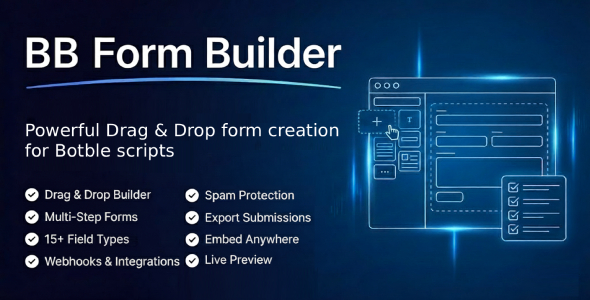
Creating functional and visually appealing forms for your website can often feel like a daunting task, especially if you lack coding skills. Fortunately, the BB Form Builder plugin for Botble scripts is here to simplify the process. This powerful drag-and-drop form builder allows users to design customized forms effortlessly, enhancing user experience and engagement on your site.
Why Choose BB Form Builder?
When it comes to creating forms for a website, flexibility and ease of use are paramount. BB Form Builder excels in both areas. With its intuitive interface, users can easily add various fields such as text boxes, radio buttons, dropdowns, and file uploads without any technical expertise. This plugin is specifically designed for Botble scripts, allowing seamless integration for developers and non-developers alike.
Key Features of BB Form Builder
Understanding the features offered by the BB Form Builder plugin is essential for making the most out of your form-building experience. Here’s what sets it apart:
1. User-Friendly Interface
The drag-and-drop functionality allows you to build your forms in real time. You can simply click on the fields you want and drag them into your desired position. No more struggling with complex code or clunky forms. Your form can take shape right before your eyes.
2. Extensive Field Options
Whether you need a simple contact form or a more complex survey, BB Form Builder offers a variety of field options to suit your needs. The plugin includes:
– Text and Text Area Fields: Perfect for gathering names, emails, or any text input.
– Dropdowns: Ideal for making choices straightforward.
– Radio Buttons: Great for multiple-choice questions.
– File Uploads: Allows users to attach documents or images easily.
These diverse fields ensure that nothing is left out in your form design.
3. Customization at Your Fingertips
An engaging form isn’t just about functionality; it’s also about aesthetics. BB Form Builder provides customization options that allow you to adjust the appearance of your forms. Change colors, fonts, and layouts to align with your brand’s identity effortlessly.
4. Validation and Security
Collecting genuine and accurate information is crucial. The BB Form Builder plugin includes validation features to ensure that users provide the correct format, making your data collection more reliable. Additionally, security measures are in place to protect user data, so you can collect information with peace of mind.
How to Set Up BB Form Builder
Getting started with BB Form Builder is quick and straightforward. Follow these steps to set up the plugin on your Botble script:
1. Installation: Download the BB Form Builder plugin from the official website or your Botble dashboard. Install and activate it as you would any other plugin.
2. Creating Your First Form:
– Navigate to the BB Form Builder section in your dashboard.
– Click on “Create New Form” to start fresh.
– Use the drag-and-drop interface to add and customize the necessary fields.
3. Adjusting Settings: Don’t forget to modify settings such as email notifications, field validation, and form appearance to suit your preferences.
4. Embedding Your Form: Once your form is ready, simply copy the shortcode provided and paste it into the desired page or post. It’s that easy!
Enhancing User Engagement with BB Form Builder
The importance of user engagement cannot be overstated in today’s digital landscape. By using the BB Form Builder, you can create attractive and functional forms that encourage visitors to interact with your site. A well-structured form can lead to more inquiries, increased subscriptions, or higher sales conversions. Make sure to promote your forms strategically across your website for maximum exposure.
Conclusion
Incorporating the BB Form Builder into your Botble script toolkit can significantly enhance the way you interact with your users. With its user-friendly interface, extensive features, and customization options, creating unique forms becomes a breeze—no coding skills required. Whether you’re looking to gather feedback, generate leads, or collect user data, this drag-and-drop form builder is the perfect solution. Start leveraging the power of BB Form Builder to elevate your website’s functionality and user experience today!
Browse more in PHP Scripts, including Ready eCommerce – Complete Multi Vendor eCommerce Mobile App, Customer Website with Store POS. Official source: PHP official site.






Reviews
Clear filtersThere are no reviews yet.