Game Store App: A Comprehensive UI Kit for Android, iOS, Figma, XD, Sketch, Ionic, and Genesis
In today’s fast-paced digital era, game enthusiasts and developers alike are always on the lookout for user-friendly and visually appealing apps. The importance of a well-crafted user interface (UI) cannot be overstated, as it directly influences a user’s engagement and satisfaction. Our Game Store App UI Kit is designed to cater to both Android and iOS platforms while also being adaptable for various design tools such as Figma, Adobe XD, Sketch, Ionic, and Genesis. This article delves into the unique features and benefits of the Game Store App UI Kit and how it can elevate your game development projects.
Why Choose the Game Store App UI Kit?
With the gaming industry booming, the need for well-designed mobile applications has surged. The Game Store App UI Kit was created to simplify the development process and ensure that your app stands out in a crowded marketplace. This kit offers a refreshingly modern design, intuitive navigation, and customizable elements tailored to your specific needs.
Features of the Game Store App UI Kit
One of the standout attributes of the Game Store App UI Kit is its comprehensive range of features that enhance usability and aesthetic appeal. Here are some key elements:
1. Responsive Design: Regardless of the device’s screen size—be it a smartphone or tablet—the UI kit adapts seamlessly. This ensures that your app maintains visual consistency across all platforms.
2. Customizable Templates: The kit includes pre-designed templates for a variety of screens, from home to game detail pages. You can customize these templates to align them with your brand identity, ensuring a unique user experience.
3. Intuitive Navigation: The UI Kit promotes effortless navigation with a user-centric design. Players can easily search for games, read reviews, and make in-app purchases without any hassles.
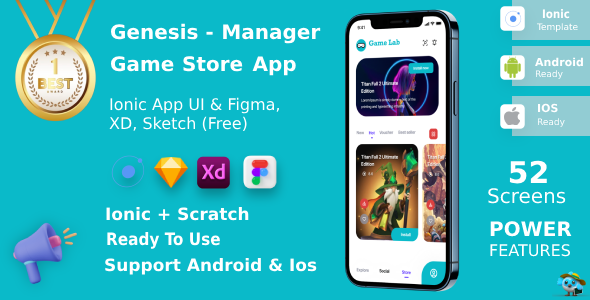
4. Integration Compatibility: Whether you’re using Ionic for cross-platform development, Figma for prototyping, or Adobe XD for design, the Game Store App UI Kit is compatible with a range of tools. This allows for a smoother development workflow.
5. Vibrant Color Schemes: The thoughtfully selected color palettes add energy and excitement to your app, which is essential in the gaming industry. These colors can be adjusted to fit your brand’s identity or the theme of your game.
Target Audience and Monetization Strategies
Understanding the target audience is crucial in the gaming sector. The Game Store App UI Kit is designed with gamers of all ages in mind. It includes features that appeal to different segments, from casual gamers looking for quick entertainment to hardcore gamers seeking in-depth reviews and expansions.
Additionally, a successful game app often incorporates multiple monetization strategies. The Game Store App UI Kit provides in-app purchase options, ad placements, and subscription models, all of which can be integrated seamlessly into your app’s design.
How to Get Started with the Game Store App UI Kit
Getting started with the Game Store App UI Kit couldn’t be more straightforward. Once you download the kit, you’ll find comprehensive documentation and tutorials that guide you through the customization process.
1. Download the Kit: Access the UI Kit from the official website or a trusted source.
2. Choose Your Design Tool: Select Figma, Adobe XD, Sketch, or any other tool you’re comfortable with.
3. Customize the Templates: Tailor the pre-designed templates according to your game’s theme and brand guidelines.
4. Implement Features: Utilize the kit’s features to enhance user experience and provide relevant content, such as game tutorials, reviews, and leaderboards.
5. Test and Launch: Conduct rigorous testing to iron out any issues, ensuring that your app is ready for launch.
Conclusion: Elevate Your Game Development with the Game Store App UI Kit
Incorporating the Game Store App UI Kit into your development workflow can lead to transformative results for your gaming app. Not only does it simplify the design process, but it also enhances the user experience, making it easier for your app to capture and retain users. The versatility of this kit—paired with its compatibility across multiple platforms and design tools—makes it an invaluable resource for developers striving to make a mark in the competitive gaming app market.
By focusing on intuitive navigation, vibrant aesthetics, and comprehensive features, the Game Store App UI Kit empowers developers to build engaging applications that resonate with their target audience. So, don’t wait any longer—unlock your potential and bring your game app vision to life with this exceptional UI kit!





Reviews
Clear filtersThere are no reviews yet.