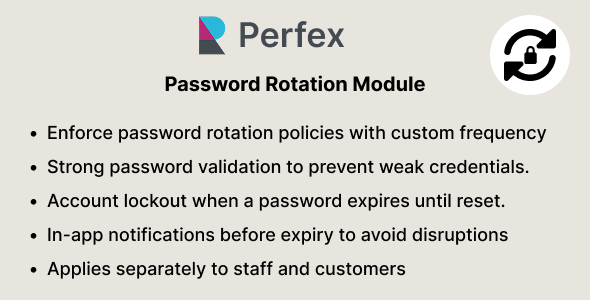
Password Rotation & Expiry – Security Module for Perfex CRM
In today’s digital landscape, the importance of robust security measures cannot be overstated, especially for customer relationship management (CRM) systems like Perfex. One crucial element of a solid security strategy is the implementation of password rotation and expiry policies. This article explores the significance of these measures and how you can effectively incorporate them into your Perfex CRM environment.
Understanding Password Rotation
Password rotation refers to the practice of regularly changing passwords to minimize the risk of unauthorized access. In a world where data breaches are alarmingly common, ensuring that passwords are frequently updated can significantly enhance security. With Perfex CRM serving as a central hub for sensitive customer data, establishing a password rotation policy is not just a best practice; it’s an essential step in safeguarding your information.
Why Password Rotation Matters
1. Reduces the Risk of Compromise: Regularly changing passwords decreases the likelihood of them being stolen or guessed by cybercriminals.
2. Mitigates Insider Threats: Employees sometimes leave organizations, and former employees may have access to old passwords. By rotating passwords, you minimize the chances that someone retains access to sensitive information after their departure.
3. Encourages Stronger Passwords: As users are prompted to create new passwords at regular intervals, they are likely to generate more complex and varied passwords, further enhancing security.
4. Compliance: Many industries have regulations that require organizations to enforce specific password policies. By implementing a password rotation policy within Perfex CRM, you can ensure your organization remains compliant.
Best Practices for Password Rotation
To effectively implement password rotation in Perfex CRM, consider the following best practices:
– Set a Regular Change Schedule: Establish a frequency for password changes, such as every 60 or 90 days, depending on your organization’s needs and risk assessment.
– Educate Users: Make sure that all users are aware of the password rotation policy and understand how to create strong passwords. Provide guidelines on what constitutes a strong password, including the use of special characters, numbers, and a mix of upper and lower case letters.
– Utilize Password Managers: Encourage the use of password managers to help users keep track of their passwords securely. This can take away the frustration of remembering complex passwords.
The Role of Password Expiry in Enhancing Security
Alongside password rotation, implementing password expiry policies is crucial for optimizing the security of your Perfex CRM system. Password expiry refers to the enforced expiration of passwords after a predefined period, which compels users to create new passwords periodically.
Benefits of Password Expiry
1. Minimizes Long-term Access Risks: Just like with password rotation, having an expiration period can limit the time-frame during which a compromised password is viable.
2. Encourages Regular Maintenance: Regularly expiring passwords keeps users engaged in maintaining their accounts, resulting in a more security-conscious workforce.
3. Quickly Responding to Breaches: In the event of a data breach, a short expiry period limits the window in which compromised passwords can be used before they become obsolete.
Effective Password Expiry Strategies
To successfully implement password expiry in your Perfex CRM, consider the following strategies:
– Establish Expiry Periods: Decide on an appropriate expiry timeframe based on your organization’s security needs. A common approach is to set expiry for every 90 days.
– Access Controls: Implement access controls that temporarily disable accounts if passwords are not changed before expiration. Notify users in advance to encourage compliance.
– Reusable Password Management: Allow users to reuse old passwords but impose restrictions on how frequently they can do so to prevent predictable patterns.
Conclusion: Elevating Security with Password Rotation and Expiry
The integration of password rotation and expiry policies within Perfex CRM is vital for maintaining the integrity of your organization’s data. These measures not only safeguard against unauthorized access but also foster a culture of security awareness among employees. By establishing a regular password change schedule and enforcing expiry periods, you set the stage for a more secure CRM environment.
Investing time and resources into these strategies will not only protect your data but also instill confidence among your clients, reflecting your commitment to data security. As cyber threats continue evolving, continuously reviewing and updating your security practices, including password rotation and expiry policies, will ensure that your Perfex CRM remains a safe and reliable tool for managing customer relationships.






Reviews
Clear filtersThere are no reviews yet.