
Blog
Introducing Divi AI For Divi 5
Unveiling Divi AI for Divi 5: A New Era in Web Design
As web design continues to evolve, harnessing the power of artificial intelligence (AI) has become essential for web builders and designers. Divi, a leading platform in the world of website creation, has taken a significant step forward with the introduction of Divi AI for Divi 5. This groundbreaking feature aims to enhance user experience, streamline design processes, and offer more customization options. In this blog post, we’ll explore what Divi AI is, how it works, its benefits, and how it can transform your web design journey.
What is Divi AI?
Divi AI is an innovative feature integrated into Divi 5 that leverages artificial intelligence to help users create stunning websites with minimal effort. By analyzing the user’s inputs and preferences, Divi AI offers personalized suggestions, layouts, and content generation, making the design process more intuitive and efficient. This functionality is perfect for both seasoned designers and newcomers looking to establish an online presence quickly.
The Evolution of Divi
Over the years, Divi has become synonymous with flexibility and ease of use in web design. Version 5 incorporates advanced AI capabilities, building on the robust foundation of its predecessors. This latest iteration not only enhances the aesthetic appeal of websites but also improves functionality, making it easier for users to achieve their design goals.
Key Features of Divi AI
1. Smart Layout Suggestions
Divi AI offers intelligent layout options based on user input and preferences. By simply describing the desired look and functionality of the website, users receive tailored layout recommendations. This time-saving feature eliminates the guesswork often associated with design choices.
2. Content Generation
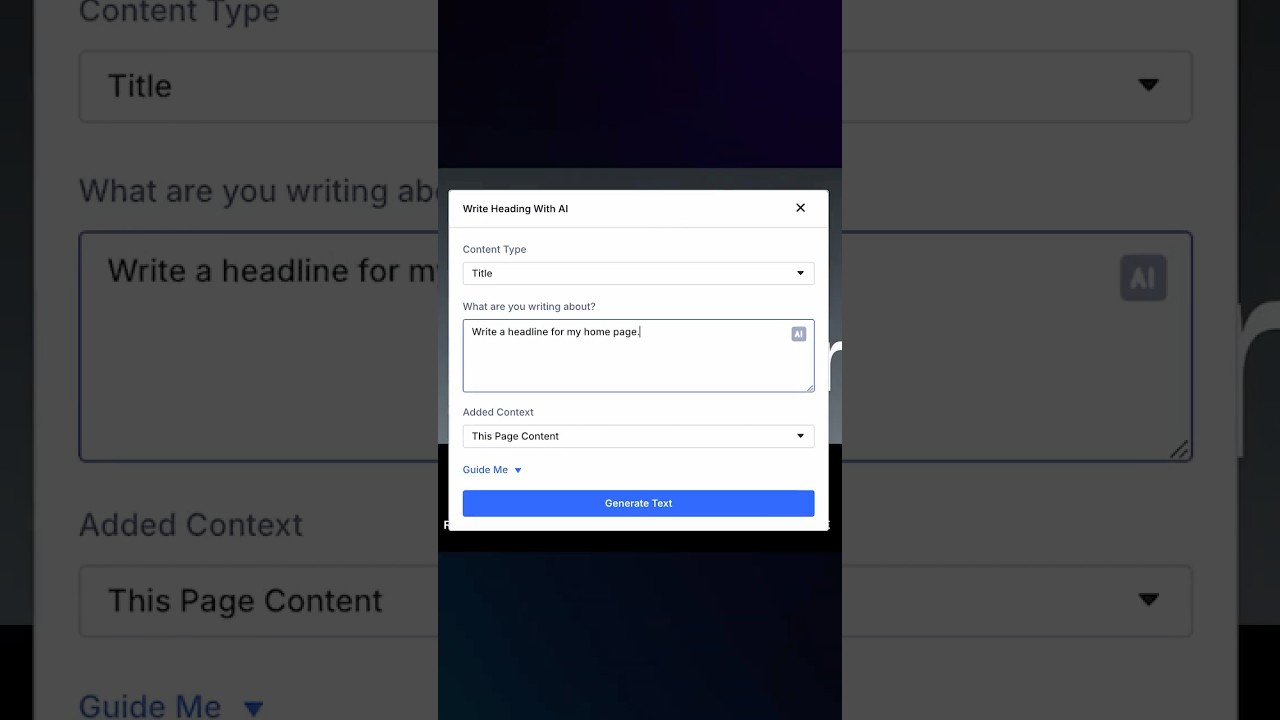
Creating compelling content can be one of the most challenging aspects of building a website. Divi AI simplifies this process with its content generation capabilities. Users can provide basic keywords or phrases, and the AI will generate relevant text, headlines, and even calls-to-action, ensuring that the content resonates with the target audience.
3. Enhanced Customization Options
Divi AI doesn’t just streamline the design process; it also enhances customization. Users can easily modify suggested layouts, colors, and fonts with intuitive controls. This flexibility allows for personal touches that reflect the user’s brand identity.
4. Real-Time Feedback
One of the standout features of Divi AI is its ability to provide real-time feedback as users make changes. This feature helps designers see how their modifications affect the overall look and feel of the website, enabling them to make informed decisions.
Benefits of Using Divi AI
Embracing Divi AI comes with a myriad of benefits that cater to the diverse needs of web designers and business owners alike.
Increased Efficiency
With intelligent layout suggestions and automated content generation, users can significantly reduce the time spent on design tasks. This increased efficiency allows designers to focus on other critical areas of their business, such as marketing and user engagement.
Cost-Effective Solution
Hiring professional designers can be costly, especially for small businesses and startups. Divi AI provides a budget-friendly alternative by empowering users to create professional-looking websites without needing extensive design skills.
Accessibility for All Skill Levels
Divi AI democratizes web design by making it accessible to everyone, regardless of their technical expertise. Even those with minimal experience can create visually stunning websites with ease, thanks to the intuitive interface and AI-driven suggestions.
Improved User Experience
With smart recommendations tailored to user preferences, the design process becomes more enjoyable and less overwhelming. This enhanced user experience leads to better retention rates and higher satisfaction among clients and website visitors.
Implementing Divi AI in Your Workflow
If you’re eager to take advantage of Divi AI, integrating it into your workflow is simple and straightforward. Here’s a step-by-step guide to get you started:
Step 1: Sign Up for Divi 5
To access the powerful features of Divi AI, ensure you’re using Divi 5. If you haven’t already, sign up for the latest version through the official Divi website.
Step 2: Familiarize Yourself with the Interface
Upon logging in, take a moment to explore the new AI features. Familiarizing yourself with the layout suggestions and content generation tools will help you leverage their full potential.
Step 3: Begin a New Project
Start a new project and utilize the AI features from the get-go. Describe your vision for the website, and let Divi AI present layout options tailored to your needs.
Step 4: Experiment and Customize
Don’t hesitate to experiment with different suggestions. Customize colors, fonts, and elements to fit your brand identity, and watch as your vision comes to life.
Step 5: Launch and Optimize
Once you’re satisfied with the design, launch your website! Monitor its performance and make changes as necessary using Divi AI’s real-time feedback feature, ensuring an optimal user experience.
Future of Web Design with AI
The integration of AI into web design marks a turning point in the industry. With tools like Divi AI, designers can expect a future where creativity is amplified by intelligent algorithms. This evolution fosters innovation, enabling users to create unique, engaging websites that stand out in a crowded digital landscape.
Conclusion
Divi AI for Divi 5 offers an exciting glimpse into the future of web design. By harnessing artificial intelligence, it streamlines the creation process, boosts efficiency, and enhances user experience. Whether you are a professional designer or a business owner embarking on your first website, Divi AI provides the tools and flexibility necessary to realize your vision. Embrace this innovative technology and take your web design projects to new heights!
