
Blog
How Create 3D Website Using AI #shorts #shortvideo #youtubeshorts #trendingshorts #shortsfeed #ai
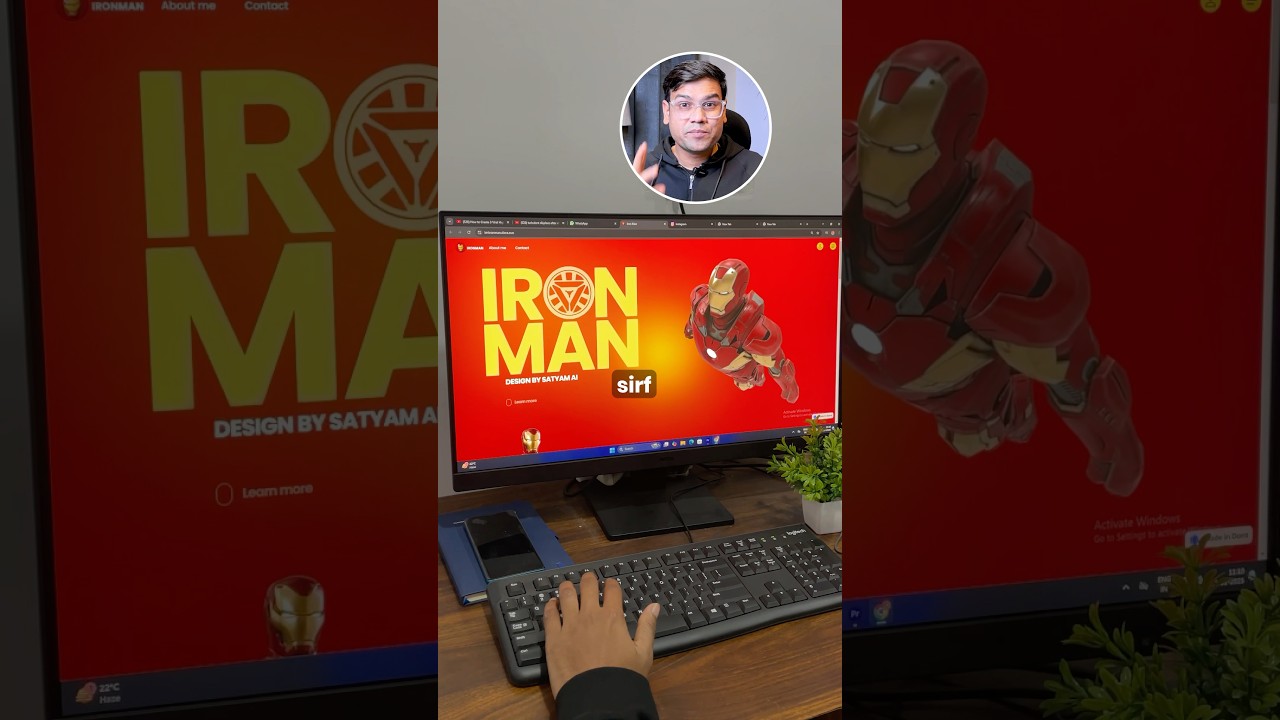
Creating a 3D Website Using AI: A Comprehensive Guide
In the ever-evolving digital landscape, the demand for engaging and visually appealing websites is on the rise. One of the most captivating advancements in web design is the incorporation of 3D elements, which can dramatically enhance user experience. Leveraging Artificial Intelligence (AI) can simplify the process of creating a stunning 3D website, even for those without extensive coding skills. This guide will walk you through the steps of using AI to develop a 3D website, providing both practical insights and actionable tips.
Understanding the Basics of 3D Web Design
Before diving into the process of creating a 3D website using AI, it’s essential to understand what 3D web design entails. Unlike traditional 2D websites, a 3D site incorporates texture, depth, and interactive elements, rendering a more immersive experience for users. Common applications include:
- Product Visualizations: Ideal for e-commerce, allowing customers to view products from multiple angles.
- Interactive Environments: Useful for portfolios, gaming sites, and educational tools where users can explore virtual spaces.
- Artistic Presentations: Artists and designers can showcase their work in unique, engaging formats.
The Role of AI in 3D Web Design
AI streamlines various aspects of the web design process, making it accessible for beginners and experienced designers alike. Here are several ways AI enhances 3D website creation:
- Automated Design Generation: AI tools can create 3D models and environments based on user inputs or existing templates.
- Real-time Rendering: AI-powered engines can render 3D graphics quickly, improving loading times and user experience.
- Behavior and Interaction Simulation: AI can simulate user interactions with 3D elements, allowing for more dynamic and responsive designs.
Choosing the Right Tools
When creating a 3D website using AI, the selection of tools plays a critical role in the outcome. Here are some popular options:
-
WebGL: This JavaScript API is essential for rendering 3D graphics within web browsers. It allows for intricate visual effects and seamless animations.
-
Three.js: A powerful JavaScript library that simplifies the process of creating 3D graphics in the browser. It abstracts many complexities associated with WebGL, enabling designers to focus more on creativity than coding.
-
A-Frame: An open-source web framework for building virtual reality (VR) experiences. A-Frame runs on top of Three.js and allows developers to create 3D and VR experiences easily.
-
Blender: While primarily known for 3D modeling and animation, Blender offers capabilities for exporting models that can be integrated into web environments. AI plugins for Blender can automate various design elements.
- Unity or Unreal Engine: For more complex projects, game engines like Unity or Unreal can produce high-quality 3D websites and experiences, especially for interactive applications.
Step-by-Step Process to Create a 3D Website with AI
Creating a 3D website using AI may sound daunting, but by breaking it down into manageable steps, the process becomes much less intimidating. Here’s how to get started:
Step 1: Define Your Purpose
Before jumping into design, it’s crucial to outline the website’s goals. Are you selling products, showcasing a portfolio, or creating an interactive educational platform? Knowing your audience and purpose will guide your design choices.
Step 2: Sketch Your Ideas
Using graphic software or simple paper and pencil, sketch out your ideas. Visualizing the layout helps to conceptualize where 3D elements will fit into the overall design.
Step 3: Choose Your Tools and Framework
Select the appropriate tools based on your skill level and the website’s requirements. For beginners, tools like Three.js and A-Frame are user-friendly and provide ample resources for learning.
Step 4: Create 3D Elements Using AI Tools
Leverage AI to generate 3D models or textures. Platforms like Runway ML or NVIDIA’s GauGAN can assist in creating visually striking elements. This step can bridge the gap between your sketches and the final 3D designs.
Step 5: Integrate 3D Elements Into Your Website
Utilize HTML and CSS alongside your chosen framework to incorporate 3D elements. Ensure that the designs are responsive to adapt across various screen sizes, enhancing accessibility for all users.
Step 6: Optimize for Performance
Performance is critical in web design, especially with 3D elements. Use AI-driven performance optimization tools that can help compress images and enhance loading times. Reducing the file size of 3D assets without sacrificing quality is essential.
Step 7: Test and Iterate
After the initial build, conduct rigorous testing to identify any issues. Use AI analytics tools to monitor user interaction and gather feedback. Iterate on the design based on user behavior to enhance overall usability.
Step 8: Launch and Promote
Once satisfied with your 3D website, it’s time to launch! Ensure you have a marketing strategy in place, focusing on SEO optimization to drive traffic. Leverage social media and other platforms to promote your newly created 3D experience.
Tips for Enhancing Your 3D Website
To further improve user engagement and interaction on your 3D website, consider these additional tips:
-
Utilize Interactive Elements: Adding clickable features can make the experience more engaging. Use animations that trigger upon user interactions, providing feedback and encouraging exploration.
-
Incorporate Sound Design: Integrating sound can significantly enhance the immersive quality of your 3D website. Use subtle background music or sound effects that respond to user interactions to create a layered experience.
-
Focus on User Experience (UX): A well-designed website should prioritize user experience. Make navigation intuitive, and ensure that 3D elements do not overwhelm the main content.
- Regularly Update Content: Keeping your website fresh is vital. Regular updates with new 3D models, features, or interactive elements can keep users coming back.
Conclusion
Creating a 3D website leveraging AI technology opens a world of possibilities for designers looking to push boundaries in web design. By understanding the tools available and following a structured approach, anyone can produce captivating and interactive online experiences. Whether for a business, portfolio, or personal project, the combination of AI and 3D design can elevate any website, making it not only visually stunning but also incredibly engaging for users. Embrace the innovative world of 3D web design, and start building today!
