
Blog
😍Master ELEMENTOR: Build a Responsive CAR RENTAL WEBSITE from Scratch | WordPress Tutorial 2025
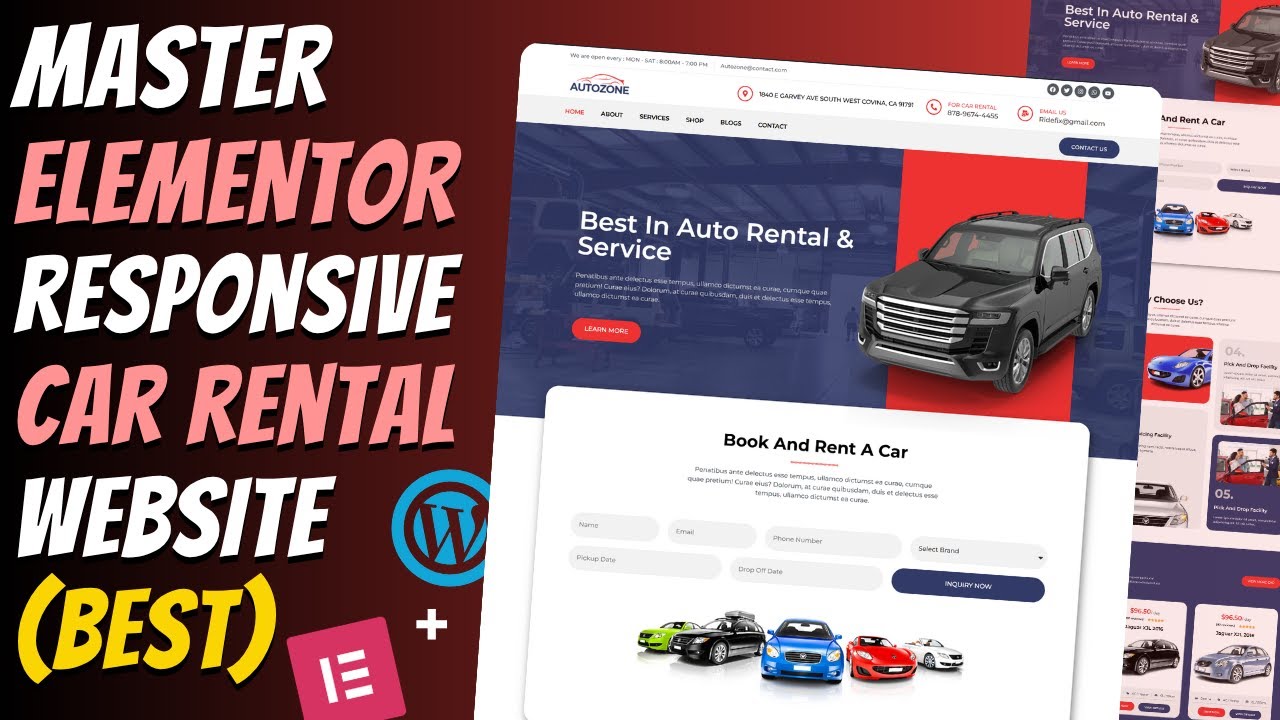
Mastering Elementor: A Comprehensive Guide to Building a Responsive Car Rental Website from Scratch
In today’s digital age, a robust online presence is crucial for any business, including car rental services. Creating a professional, user-friendly website can set your business apart from competition. Elementor, a powerful WordPress page builder, simplifies this process, allowing you to design stunning websites without extensive coding knowledge. This guide will provide a step-by-step approach to building a responsive car rental website using Elementor.
Why Choose Elementor for Your Car Rental Website?
User-Friendly Interface
Elementor’s drag-and-drop functionality makes website design accessible for everyone. You can easily add elements, adjust layouts, and see real-time changes,which means you don’t have to be a tech wizard to create an engaging website.
Customization Options
With a wide array of templates and customization features, Elementor empowers you to personalize your website to reflect your brand’s identity. You can modify colors, fonts, and images, ensuring a unique look and feel.
Mobile Responsiveness
Given the increasing mobile traffic, your car rental website must be optimized for mobile devices. Elementor ensures that your design is responsive, automatically adjusting to fit various screen sizes.
SEO Optimization
Elementor provides built-in SEO features that help optimize your website for search engines. This ensures that potential customers will find your car rental service online, increasing your visibility and traffic.
Getting Started: Setting Up WordPress and Elementor
Step 1: Choose a Hosting Provider
Before diving into design, you need to select a reliable hosting provider. Look for one that offers one-click WordPress installation, great customer support, and optimized speed. Popular options include Bluehost, SiteGround, and WP Engine.
Step 2: Install WordPress
Once you’ve selected your hosting provider, follow these steps to install WordPress:
- Log in to your hosting account.
- Locate the WordPress installer in your control panel.
- Follow the prompts to complete the installation.
Step 3: Install the Elementor Plugin
After installing WordPress, you need to install the Elementor plugin. Here’s how:
- Log in to your WordPress dashboard.
- Navigate to “Plugins” > “Add New.”
- Search for “Elementor.”
- Click “Install Now,” then “Activate.”
Step 4: Select a Suitable Theme
Choosing a compatible theme is essential for seamless functionality with Elementor. Themes like Astra, OceanWP, or GeneratePress are recommended as they are lightweight and specifically designed to enhance Elementor’s capabilities.
Designing Your Car Rental Website
Step 1: Creating Your Home Page
Your home page is the first impression visitors will have of your business. Here’s how to design it:
-
Launch Elementor:
- Go to “Pages” > “Add New” in your WordPress dashboard.
- Click “Edit with Elementor.”
-
Add a Hero Section:
- Start with a full-width section.
- Use an engaging image of your rental vehicles, and overlay a compelling headline and call-to-action (CTA) button like "Book Now."
- Showcase Your Fleet:
- Create a grid layout to display different car models. Each model should include an appealing image, brief description, and a “Learn More” button linking to a dedicated car detail page.
Step 2: Adding Rental Information
-
Rental Rates:
- Utilize a pricing table widget to clearly outline various rental rates. Break down costs based on vehicle type, rental duration, and any additional services, such as insurance or GPS.
- Booking Form:
- Incorporate an easy-to-use booking form. Use Elementor’s form widget to allow customers to select dates, choose vehicles, and provide contact information.
Step 3: Creating an About Us Page
This page offers a chance to connect with your audience. Share your story, values, and what sets your rental service apart. Include:
- Team Member Profiles: Brief bios with photos can humanize your brand.
- Customer Testimonials: Use slider widgets to display customer reviews, enhancing your credibility.
Step 4: Developing a Blog Section
A blog can drive traffic to your site and improve your SEO rankings. Focus on topics relevant to your audience, such as:
- Car Rental Tips: Advice on how to choose the right vehicle or best practices for renting.
- Travel Guides: Highlight local attractions and create itineraries that involve your rental cars.
- Industry News: Keep customers informed about any changes in the rental industry.
Step 5: Creating a Contact Us Page
Enable customers to easily reach you. Include:
- A contact form using Elementor’s form widget.
- Your business location marked on Google Maps for easy navigation.
- Other contact details like phone numbers and social media links.
Optimizing Your Website for SEO
After designing your website, it’s time to optimize it for search engines. Here are essential steps:
Keyword Research
Identify relevant keywords that potential customers might use to find car rental services. Use tools like Google Keyword Planner or SEMrush for this purpose.
On-Page SEO
- Optimize Titles and Headings: Ensure each page has unique titles and headings featuring target keywords.
- Meta Descriptions: Write engaging meta descriptions for each page to improve click-through rates.
- Image Optimization: Use ALT tags for images, describing their content using keywords.
Site Speed
A fast-loading website improves user experience and search rankings. Optimize images and consider using a caching plugin for better performance.
Mobile Optimization
Confirm that your website looks great and functions well on mobile devices. Elementor’s responsive editing tools let you preview and adjust designs for different screen sizes.
Conclusion
Building a responsive car rental website from scratch using Elementor is an achievable task, even for beginners. By following the steps outlined in this guide, you can create a professional and user-friendly online space that attracts customers and builds your brand presence. From eye-catching home pages to optimized content, each aspect contributes to a delightful user experience. Begin your journey today and watch your car rental business thrive in the digital landscape.
